ECO Cooling Soluons INSTALLATION GUIDE
ENG
26
>
27
>
Control placement
Place the control in the area specified by the
client.
It is recommended that you place the control
at a minimum distance of the evaporative
connected,and ensure good communication.
If the distance is >m, will have to be to crimp the
wire by adding a shielded x mm2 cross-section
wire cable and its corresponding RJ.
1. Connect the power and water supply and turn on the evaporative
from the remote control.
2. Turn on the evaporative from the remote control.
3. Check the exterior of the evaporative if there is any equipment with
loss of water or malfunction.
Any element not well connected to the electric panel will be reflected in the control.
The electric panel has a green LED which informs that it has power.
START-UP
Before to starting up all equipment follow the instructions in order for safety:
Safety box
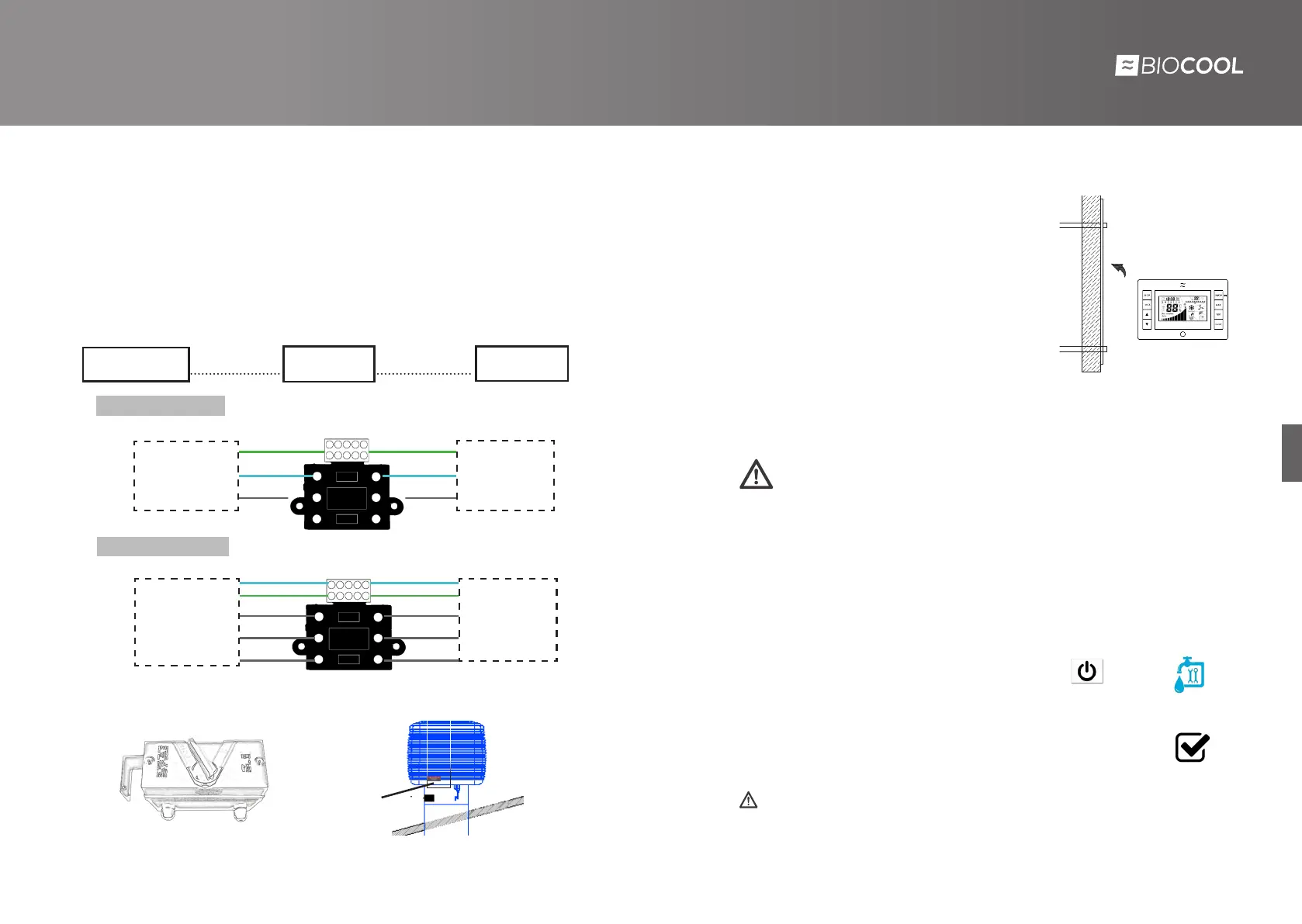
Inside the equipment, in the accessory box is the electrical safety box. It is a three-
poles 20 A box with protection IP65.
1. Connect the power supply of the equipment to the input of the safety box. (three- phase for
BIO30 and single-phase for BIO18).
2.Connect output power wiring to the general low-voltage switchboard marked by the
customer.
3. Place the magnetic disconnect box in the duct as shown on the back picture.
- Safety box location -
Place here
Safety box
General electric
table
Biocool Electronic
BIO x mm
2
BIO x mm
2
BIO x, mm
2
BIO x, mm
2
INTERIOR VIEW BIO18
INTERIOR VIEW BIO30
Safety box
Mechanical extractor connection
Consult the different options with BIOCOOL’s technical department.
General electric
table
Biocool electronic
T’
N
F
T’
N
F
General electric
table
Biocool electronic
N -Neutral
T’ - Ground
R
S
T
N
T’
N
T’
R
S
T



 To Next Page