5400230 Rev. H
4.11 ADJUSTING LASER POWER
If you wish to change the power setting, highlight and select the power icon in the Main Screen in
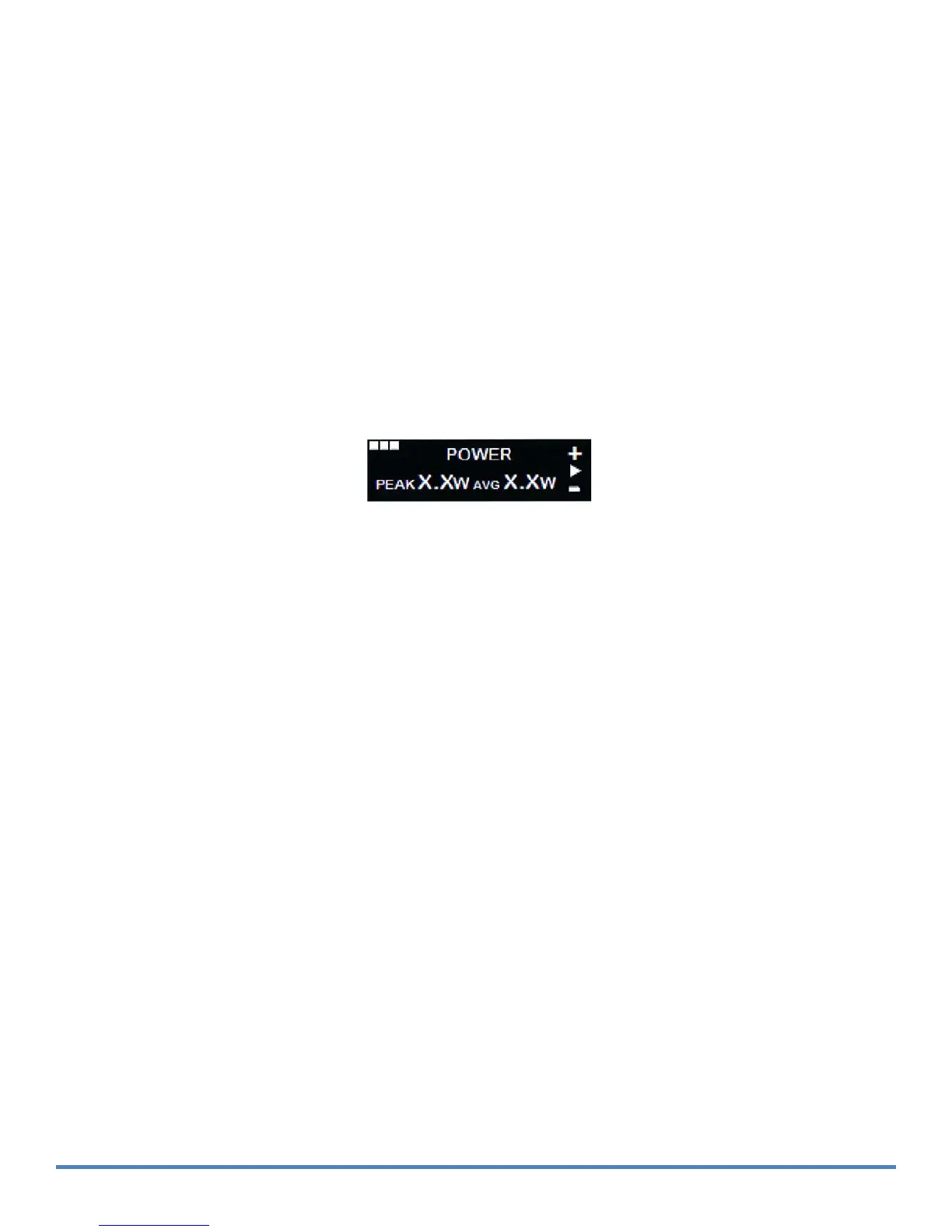
STANDBY mode to display the Power Setting screen. The figure below does not show a power
setting, but rather has "[X.X] W" to indicate the numeric format of the average power setting.
The Power Setting screen displays the current laser output power setting in both Peak and Average
Power values and allows you to adjust the power up (+) or down (-).
Using the selector switch, scroll up to the " + " sign to increase the power; scroll down to the "
-
" sign
to decrease the power. The power setting increases or decreases by one increment each time the
selector switch is scrolled. When the power setting has reached its upper or lower limit, the value will
remain at the limit.
F
i
gure 4
-8:
Power
Se
tt
i
ng
Screen
.
Press the selector switch to return to the main screen. You can also access the Settings Menu from
this screen. For further details of the Settings Menu refer to the Maintenance section of this manual.


 To Next Page