8 9
Button Functions
ALARM ON/OFF BUTTON
The Biomet
®
SpinalPak
®
Non-invasive Spine Fusion Stimulator System is activated as soon as a
chargedbatterypackisinserted.ThebuttonlocatedbelowtheLCDdisplayenablesordisablesthe
audiblealarm.Duringanalarmcondition,depressingthebuttonquickly(0.5seconds)willtemporarily
disabletheaudiblealarm.Depressingthebuttonforalongerperiodoftime(3seconds)willtoggle
theaudiblealarmbetweenenabledanddisabled.Patientsshouldbeadvisedtoleavetheaudiblealarm
enabledasfrequentlyaspossibleinordertoassurethefullyprescribedtreatment.Aspeakersymbol
willbeindicatedontheLCDdisplaywhenthealarmisenabled.
Thealarmdefaultstoaudiblealarm.Pressthebuttonbelowthedisplayonthefrontofthestimulator
tosilencethealarm.Aftersilenced,thelightwillcontinuetoflashandthedisplaywillindicatethe
alarmcondition.
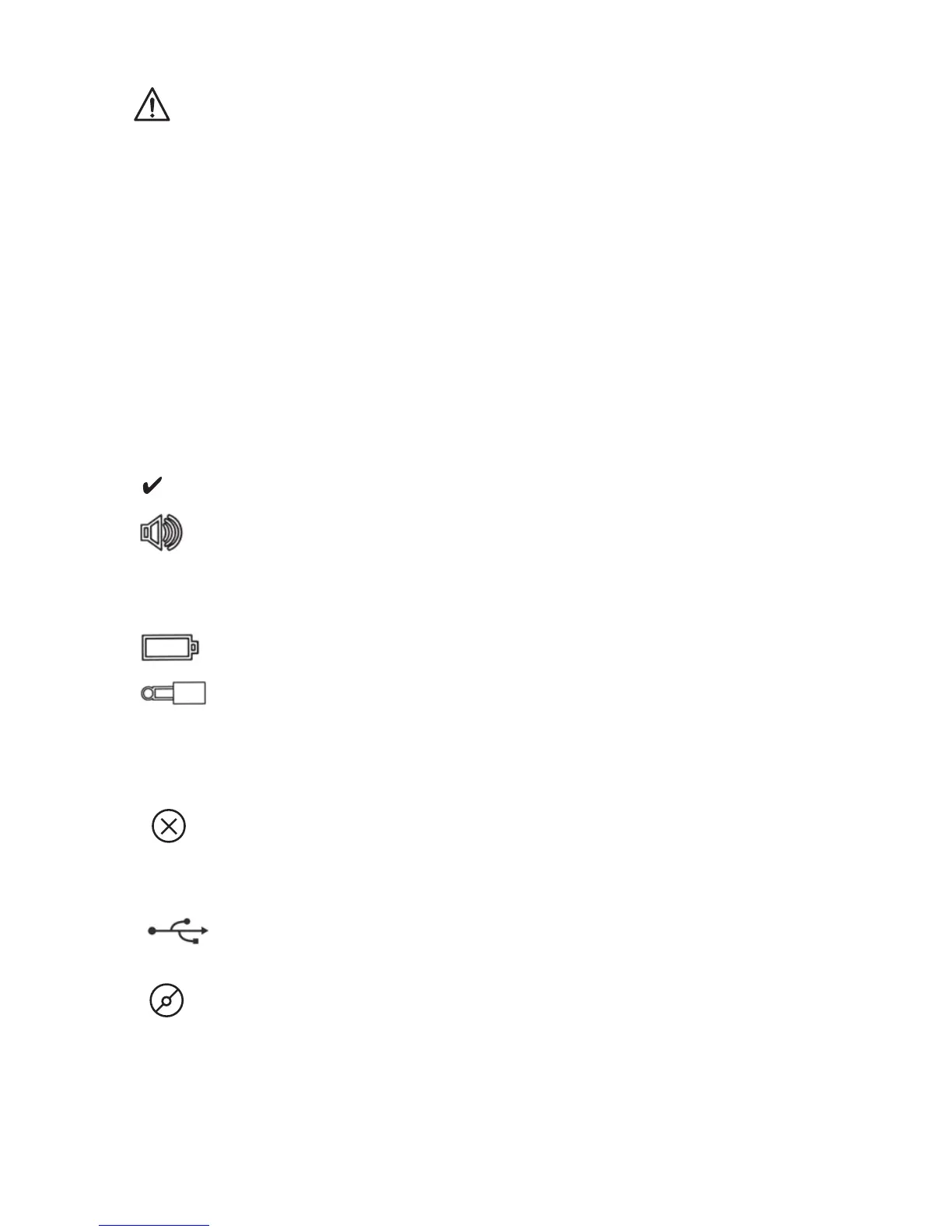
Symbol Condition Instructions
Treating Continueuse.
Audiblealarm Ifbeeping,depressthebutton
brieflytosilencethealarm.Depressthe
buttonapproximately3secondsto
engageordisengagetheaudiblealarm.
Lowbatterycharge Insertachargedbatterypack.
Disconnection Confirmthateachelectrodeisproperly
appliedontheskin.Seetheelectrode
pouchforinstructions.Confirmthatthe
leadwireisattachedproperly.Replace
theleadwireifnecessary.
Systemerror Errorinthestimulator–
ContactBiometforassistance.
Stimulatoris StimulatorwillnottreatuntilUSB
connectedto cableisdisconnected
a PC
Endofoperation/ ContactBiomet
TreatmentCompletion
LCD Symbol Descriptions and Instructions


 To Next Page