11
Tools Needed for Installation
The list below includes items needed to install the BITS. The tools are not provided with the system.
• 3/4” Socket Wrench
• 1/2” Socket Wrench
• 13 mm Wrench
• 1/8” Allen Wrench
• 5/32” Allen Wrench
• Phillips Screw Driver
• Box Cutter with Safety Guard
• Scissors
Touchscreen PC Installation
1. Carefully remove the Touchscreen PC from the box and remove the foam packaging.
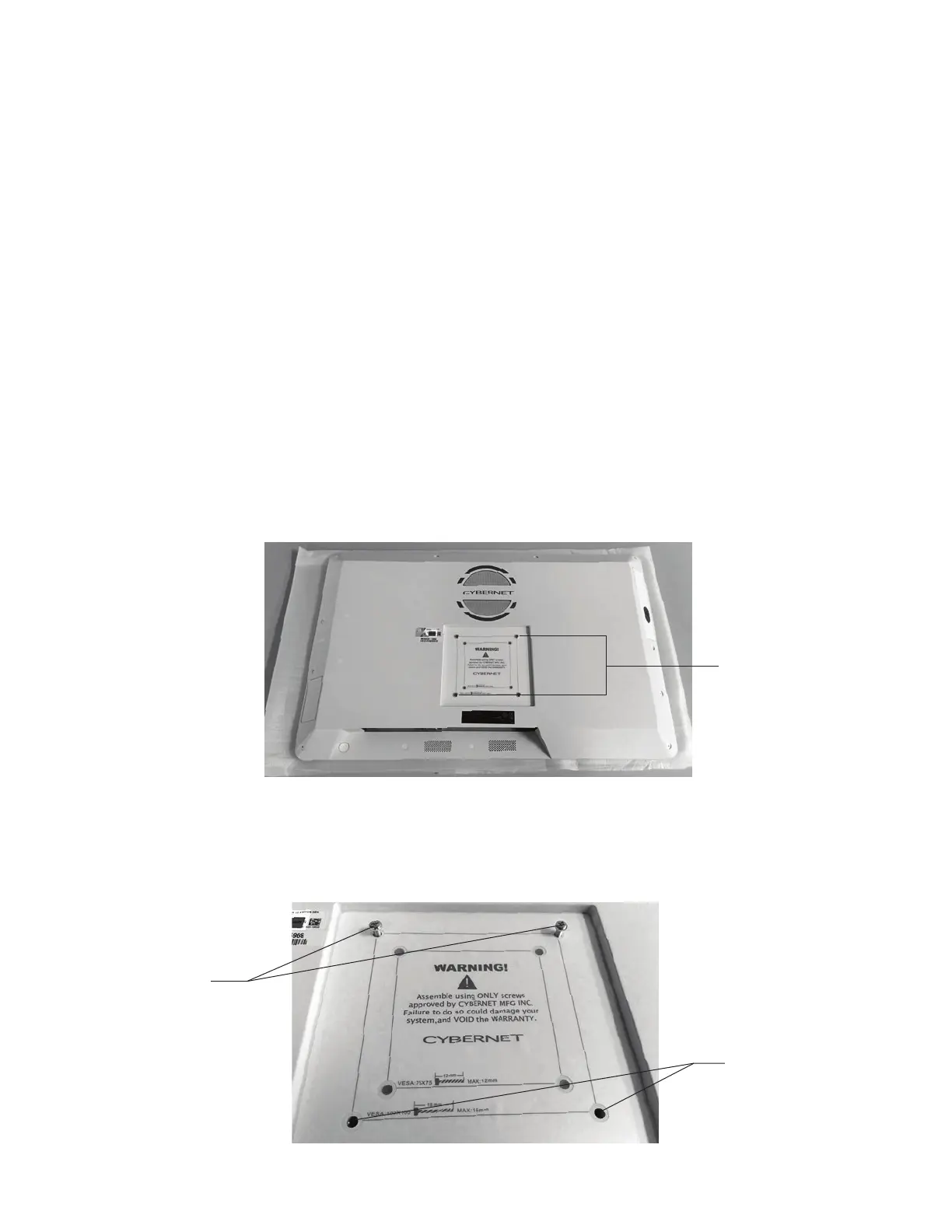
2. Use the foam sleeve to protect the surface of the Touchscreen, and lay the Touchscreen PC face down on
a flat surface. See Figure 2.
Figure 2: Back Side of the Touchscreen PC
3. Remove the two bottom Mounting Screws, and loosen the two top Mounting Screws on the mounting
surface on the back of the Touchscreen PC. See Figure 3.
Figure 3: Location of Mounting Screws
Mounting Screws
Remove Screws
Loosen Screws



 To Next Page