13
Touchscreen Mount Adjustment
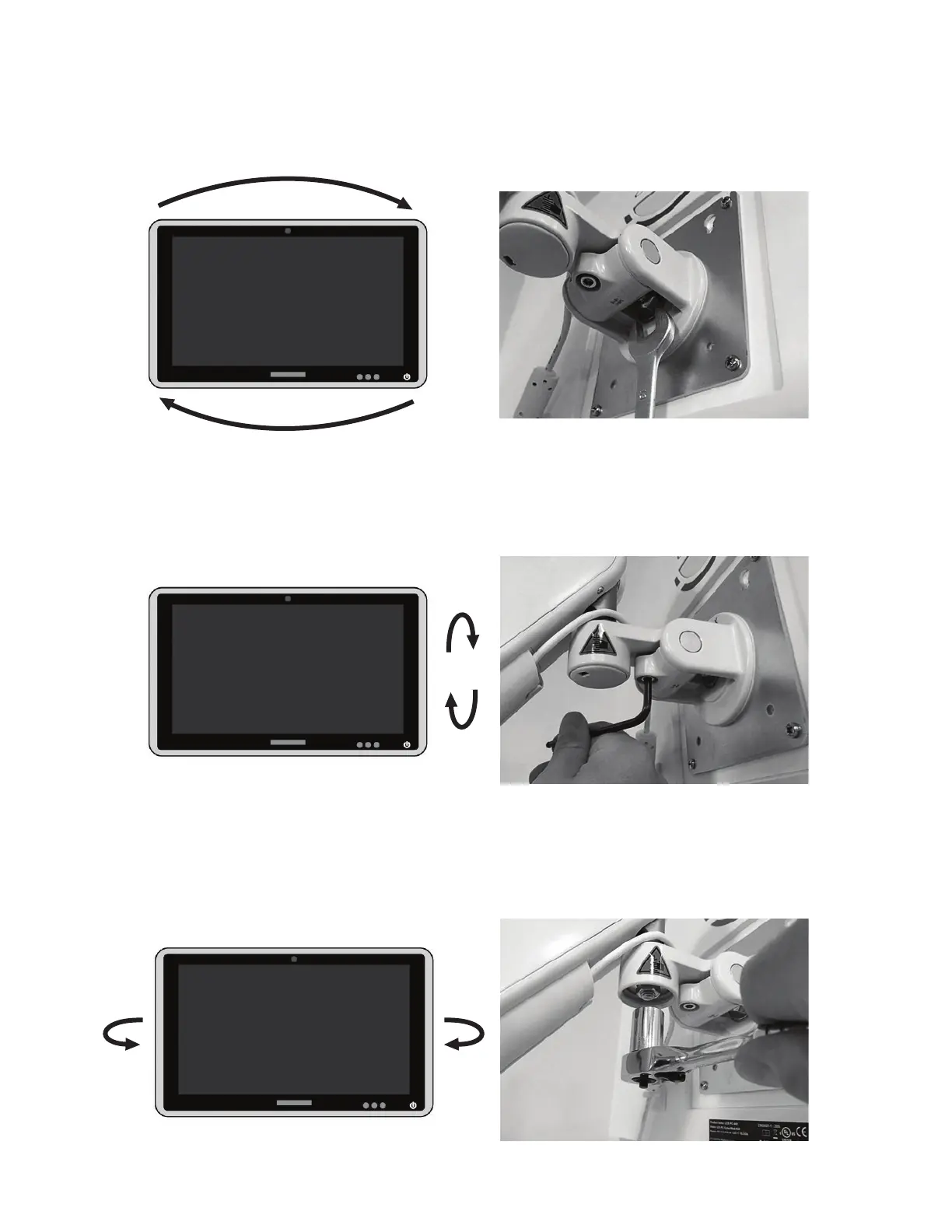
1. To adjust the CW and CCW rotational tension, use a 13 mm wrench to adjust the hex nut on the back of the
VESA Mount. See Figure 6.
Figure 6: Rotational Tension Adjustment
1. To adjust the forward and backward tilting tension, use a 5/32” allen wrench adjust the bolt on the VESA
Mount. See Figure 7.
Figure 7: Tilting Tension Adjustment
1. To adjust the left and right rotational tension, remove the cap covering the hex nut on the back of the VESA
mount, and use a 1/2” socket wrench to adjust the hex nut. See Figure 8.
Figure 8: Left/Right Rotational Adjustment



 To Next Page