21
4. Plug the Power Cord into the power connection on the left side of the Touchscreen PC.
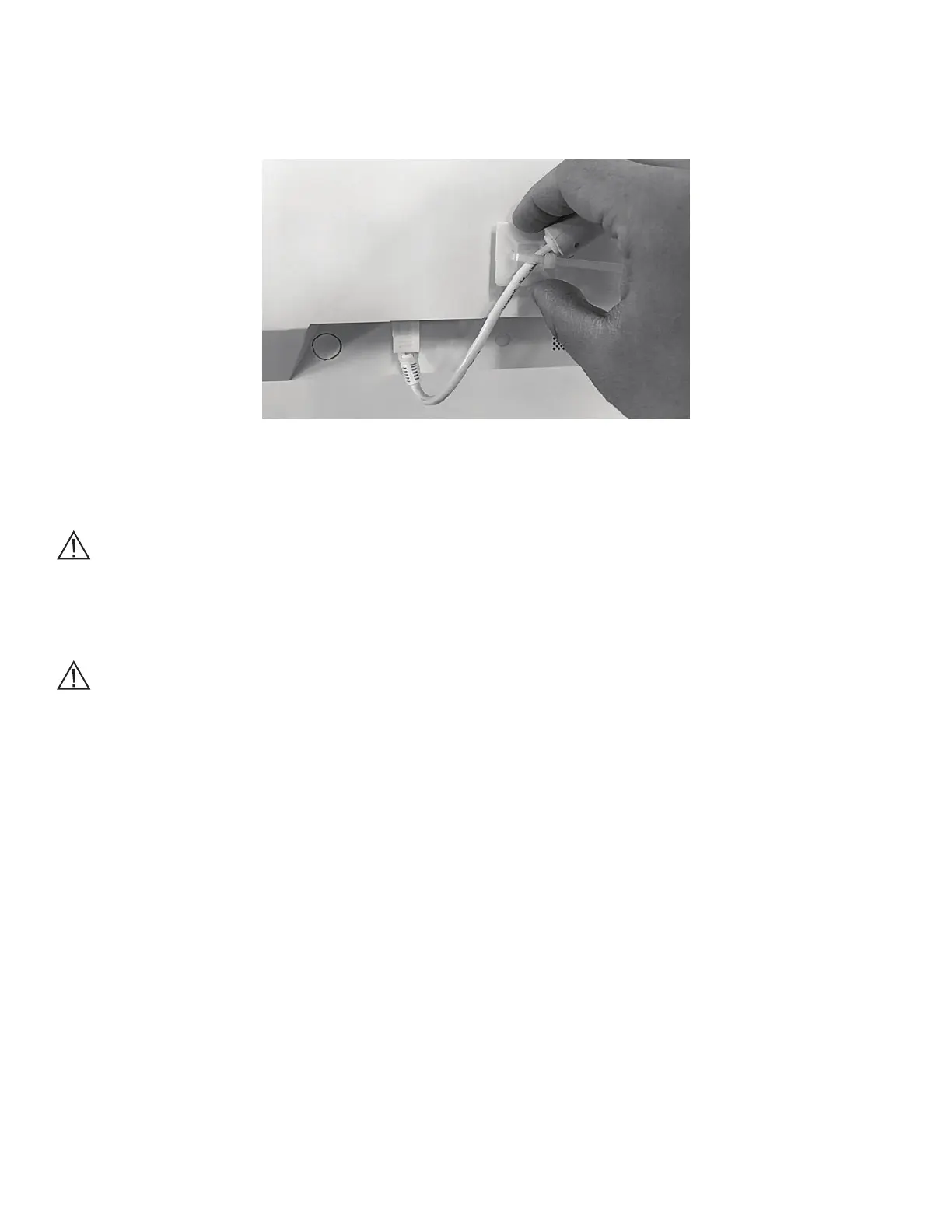
5. Secure the Power Cord to the back of the Touchscreen PC using a Zip Tie and Mounting base provided in
the Computer Kit. See Figure 25.
Figure 25: Secure the Power Cord
6. Trim the Zip Tie using a pair of scissors.
Caution: When trimming the Zip Tie, take care to avoid cutting or otherwise damaging the Power Cord.
Moving the BITS Mobile Stand
Caution: The BITS Computer is equipped with an internal battery. Make sure the system is plugged in while
not in use to ensure the battery is sufficiently charged during use.
1. Disconnect the power cord from the wall socket and secure it on the Power Cord Holder.
2. While standing to the front of the Mobile Stand, lower the position of the Touchscreen by depressing the
Release Pedal on the base of the Mobile Stand with one foot.
3. Grasp the Height Adjustment Handle, and lower the Touchscreen to the lowest point on
the Tower.
4. Move the Touchscreen PC to a position closest to the Mobile Stand Tower. See Figure 26.



 To Next Page