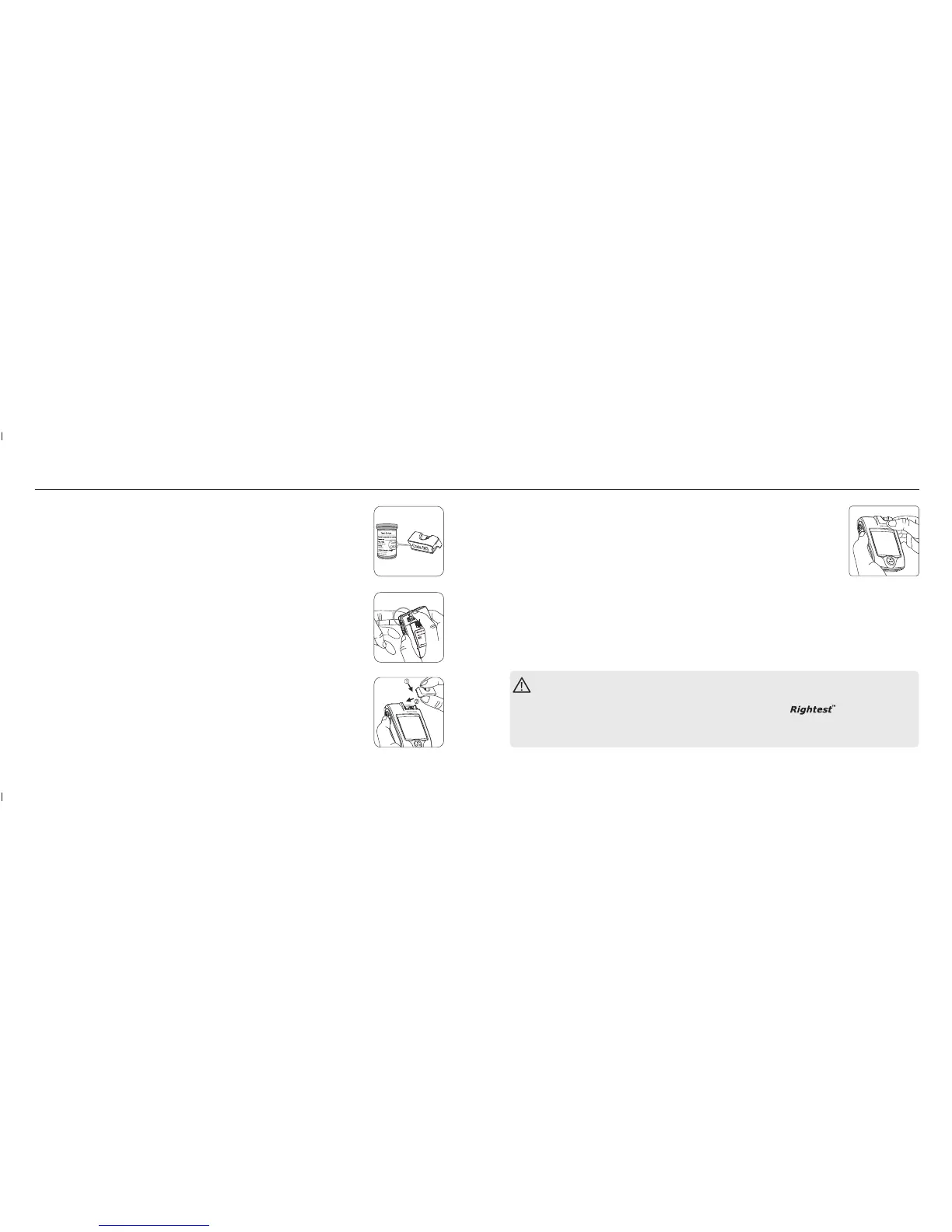
How to switch Smart Code Key ?
Every new box of test strips should come with a Smart Code Key inside. Before
you install the Smart Code Key, please check that the code number on the strip
vial and the code number on the bottom of Smart Code Key should be the
same.
If you find they are not the same, please return them to the store where you
bought from.
1. Turn the meter over. Remove old Smart Code Key by pressing down Smart
Code Key release button if one is installed.
2. With the Meter off, follow and direction to put the new Smart Code Key
into the track on code key base.
① ②
Smart Code Key Installation
1918
Smart Code Key Installation
3. Push down the Smart Code Key until it snaps into the Smart Code Key base.
PRECAUTION
- Assemble the Smart Code Key into your meter is necessary before starting your test.
- Be sure to change the Smart Code Key with each new box of
- Use only the Smart Code Key that is packaged with the box of strips you are using.
- Please don't remove this Smart Code Key before you run out of these new strips.
Test Strips.














 To Next Page