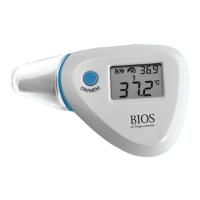
4
6. Directions for Use
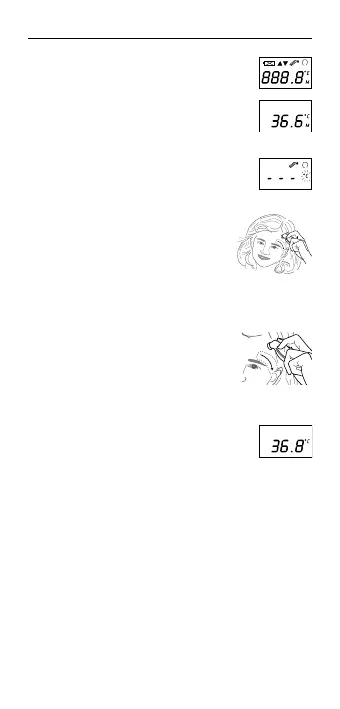
1. PresstheO/Ibutton.TheLCDisactivated
to show all segments for 2 seconds.
2. The last measurement reading will be
shown on the display automatically for 3
seconds with the «M» icon.
3. Whenthe°Cor°Ficonisflashing,abeep
sound is heard and the thermometer is
ready for measurement.
4. Placetheprobeapproximately1cm
above the center of the eyebrow, making
sure that hair has been swept back from
this area. Press the start button. Move
the thermometer steadily across to 1 cm
above the tail of the eyebrow.
5. Press the START button. Release it,
when you hear a beep sound. This is the
reminding signal that confirms the end of
measurement. 10 short beeps will sound
when the temperature is higher than
37.5°C(99.5°F)inordertoalertthe
patient that he/she may have fever.
6. Remove the thermometer from the
skin.TheLCDdisplaysthemeasured
temperature.
To avoid an inaccurate measurement:
• SwitchonthethermometerbypressingtheO/Ibutton.
• Afteronebeepisheard(andthetemperaturescaleicon
is flashing), place the probe 1 cm above the tail of the
eyebrow. Make sure the opening of probe is contacted
closely with the skin.
• PresstheSTARTbuttonfor1secondandkeeptheprobeat
the temple until the thermometer generates a long beep to
identify the completion of the measurement.
IMPORTANT:
• Patientsshouldstayinaplacewithstableroom
temperature for at least 30 minutes.



 To Next Page