3.3 Inserting The Batteries
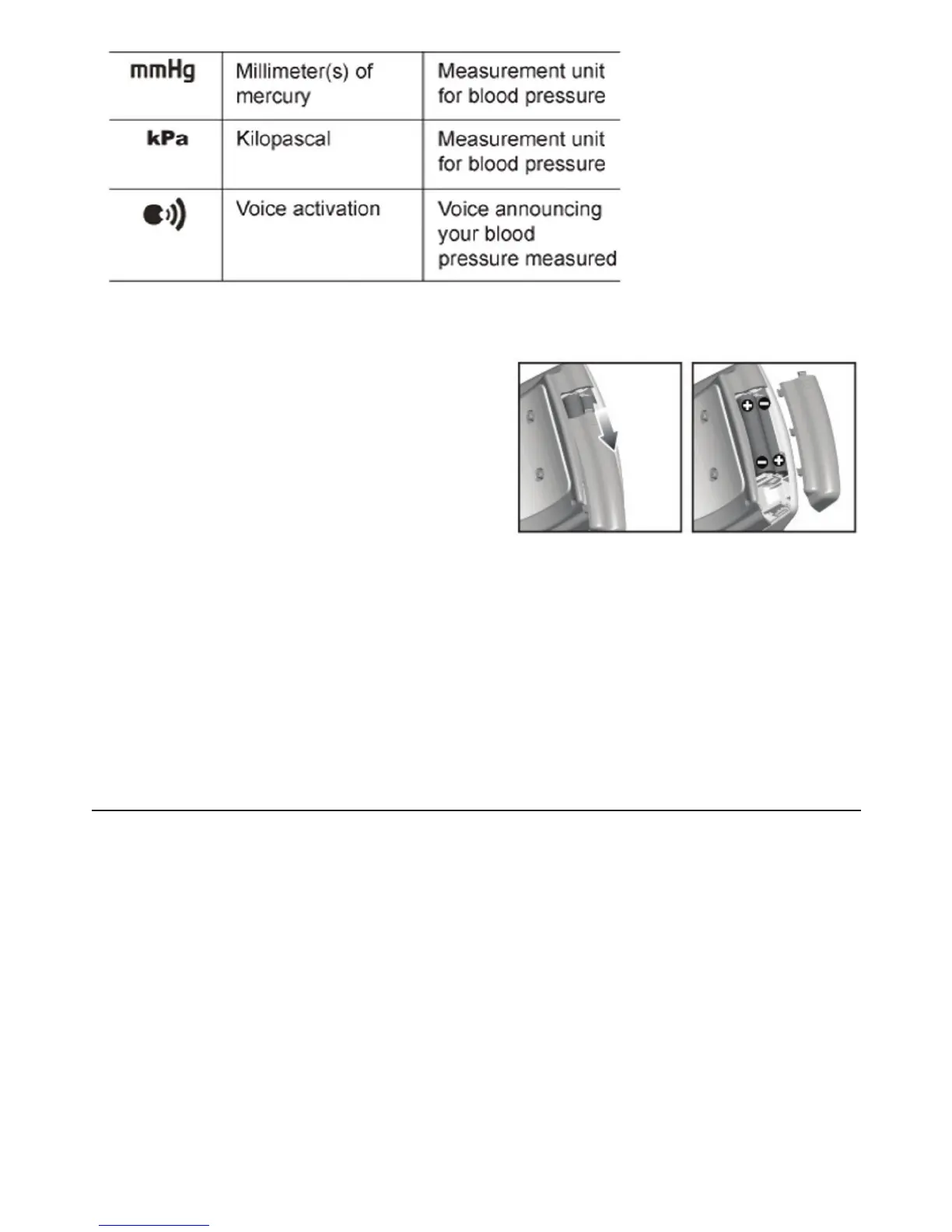
Follow these steps to insert the two “AAA” batteries in the device.
1. Open the battery compartment cover in the
direction shown.
2. Insert the two “AAA” batteries with the
correct polarity as indicated.
3. Replace the battery compartment cover.
NOTE: Replace the batteries whenever the weak battery mark shows, the
display is dim, or the display does not illuminate when the power is on. Replace
all the batteries at the same time - it is dangerous to mix old and new batteries.
Contact your local waste disposal authority for instructions on how to dispose of used
batteries. Used batteries can be harmful to the environment, and should not be thrown out
with household trash.
4. Using The Device
This section describes how to get the maximum benefit from your BD401 blood pressure
monitor. Follow the instructions carefully to get an accurate measurement of your blood
pressure and pulse rate.
9



 To Next Page