4.6 Discontinue A Measurement
If it is necessary to interrupt a blood pressure measurement for any reason (e.g. the
patient feels unwell), the ON/OFF button can be pressed at any time. The device then
immediately lowers the cuff pressure automatically.
4.7 Voice Playback Of Blood Pressure Measurement
The features voice playback during and after blood pressure measurement results, as well
as general instructions to help you prepare for taking measurements. When the unit has
finished taking your measurement, your blood pressure readings, pulse and blood pressure
classification are announced. If you want to repeat the announcement, simply press
TALK / VOLUME. Anytime you recall a measurement record from memory, it will also be
announced. Press TALK /VOLUME if you need to repeat the playback of any record.
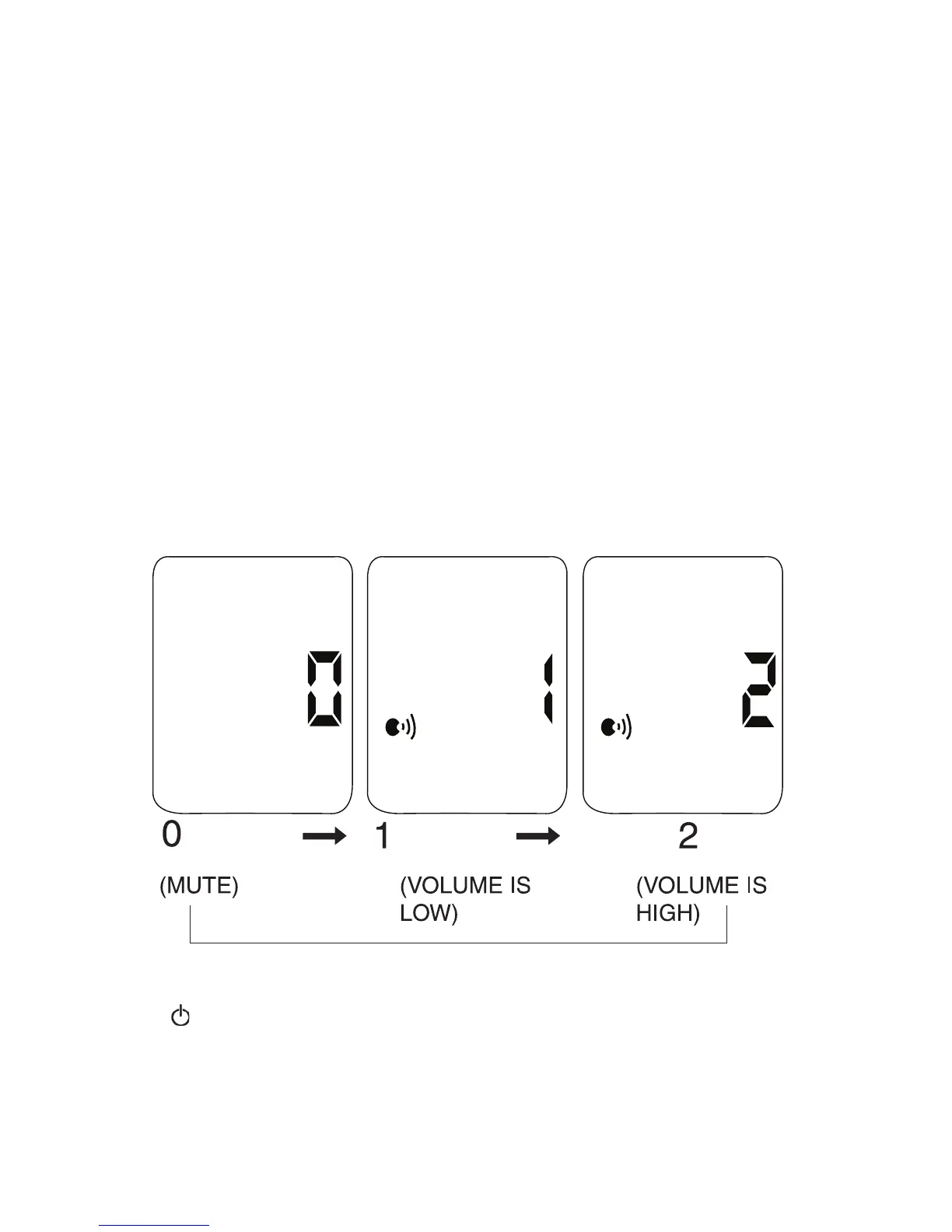
VOLUME CONTROL
To adjust the volume level:
1. Press and hold TALK / VOLUME until volume level flashes on the LCD.
2. Press TALK / VOLUME to adjust volume level.
3. Press when you have finished adjusting the volume.
NOTE: When volume level 0 is selected, the unit is on mute and you will not hear
any voice messages announced.
16


 To Next Page