EasyManua.ls Logo

BIOS BD401 - Page 19

BIOS BD401
23 pages
Print Icon
To Next Page IconTo Next Page
To Previous Page IconTo Previous Page
Loading...
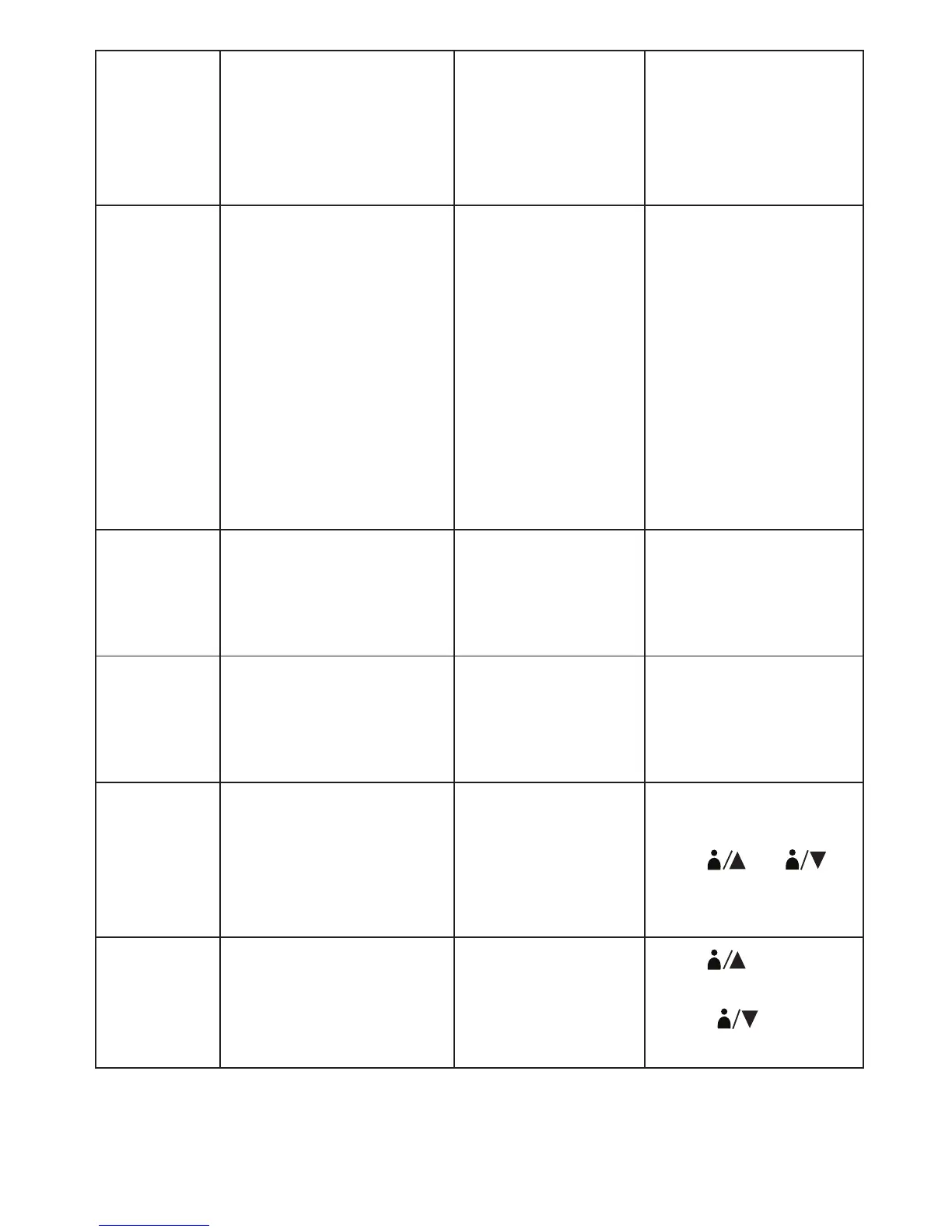
Err 6 shows on the
display
Deflation period
was too long
Movement can affect
the measurement.
Relax for a moment
and then measure
again
EExx shows on the
display
A calibration error
occurred
Retake the
measurement.If the
problem persists,
contact the retailer or
our customer service
department for further
assistance. Refer to
the warranty for con-
tact information and
return instructions
Settings
are wrong
Date and time are
incorrect
The clock was not
set or reset after
installing new bat-
teries
Reset the clock
Measurement unit
(kPa or mmHg)
are incorrect
The measurement
unit was not set or
reset after install-
ing new batteries
Reset the
measurement unit
No user
memory
Cannot find a record The memory was
not saved after
taking a
measurement
Retake the
measurement.
Press
1
2
or
1
2
to
save the correspond-
ing user’s memory
The record was
stored to the wrong
user memory
Press
1
2
to view
User 1’s record.
Press
1
2
to view
User 2’s record
18

Related product manuals