Motherboard Manual
10
B. Memory Capacity
DIMM Socket Location
DDR3 Module
Total Memory Size
DDR3_A1 512MB/1GB/2GB/4GB/8GB
Max is 16GB.
DDR3_B1 512MB/1GB/2GB/4GB/8GB
C. Dual Channel Memory installation
Please refer to the following requirements to activate Dual Channel function:
Install memory module of the same density in pairs, shown in the table.
Dual Channel Status
DDR3_A1
DDR3_B1
Disabled O X
Disabled X O
Enabled O O
(O means memory installed, X means memory not installed.)
Note: The DRAM bus width of the memory module must be the same (x8 or x16)
2.5 Connectors and Slots
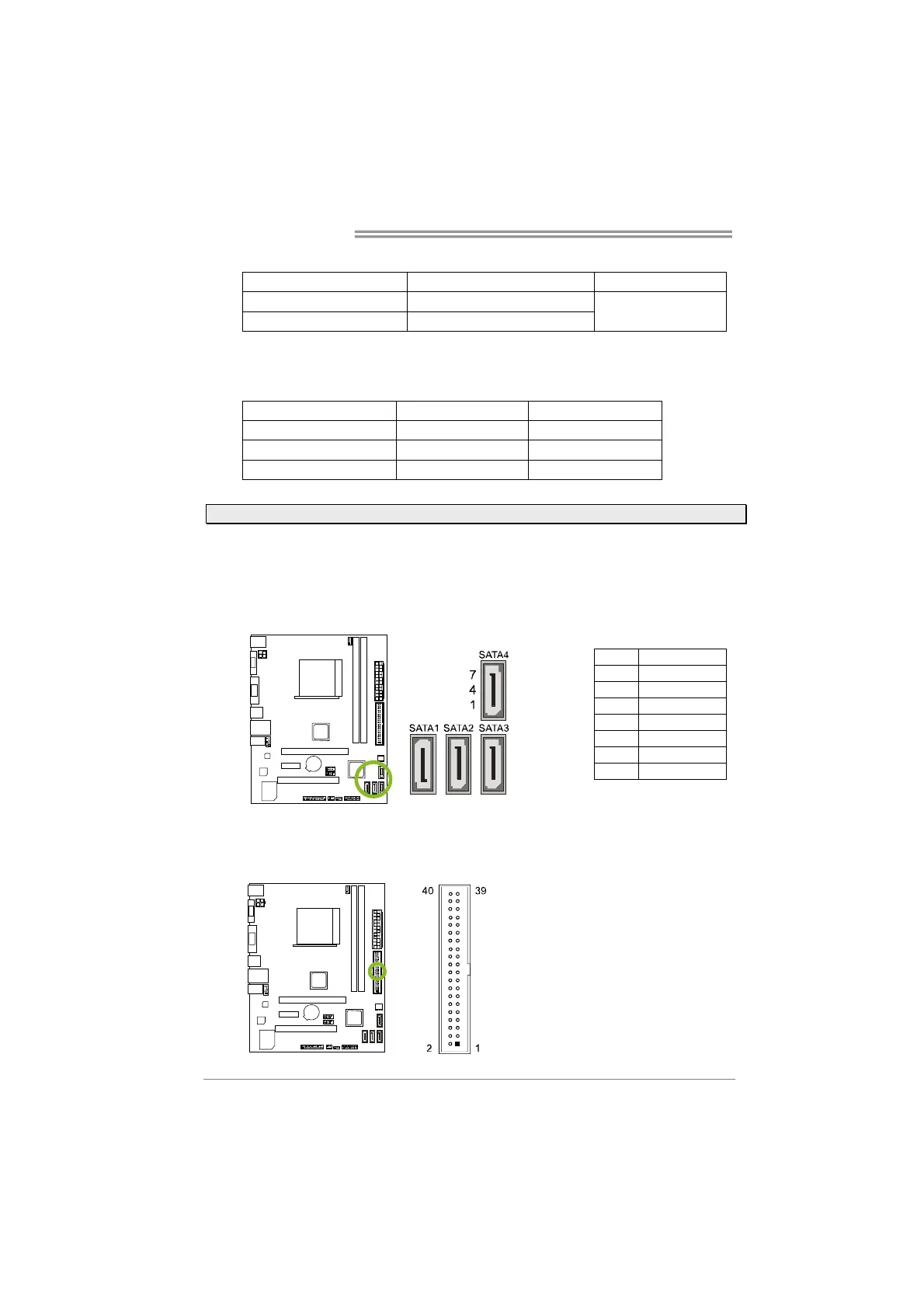
SATA1~SATA4: Serial ATA Connectors
The motherboard has a PCI to SATA Controller with 4channels SATA interface, it
satisfies the SATA 2.0 spec and with transfer rate of 3Gb/s.
Pin Assignment
1 Ground
2 TX+
3 TX-
4 Ground
5 RX-
6 RX+
7 Ground
IDE1: Hard Disk Connector
The motherboard has a 32-bit Enhanced PCI IDE Controller that provides PIO
Mode 0~4, Bus Master, and Ultra DMA 33/66/100/133 functionality.


 To Next Page