10 | Chapter 2: Hardware installaon
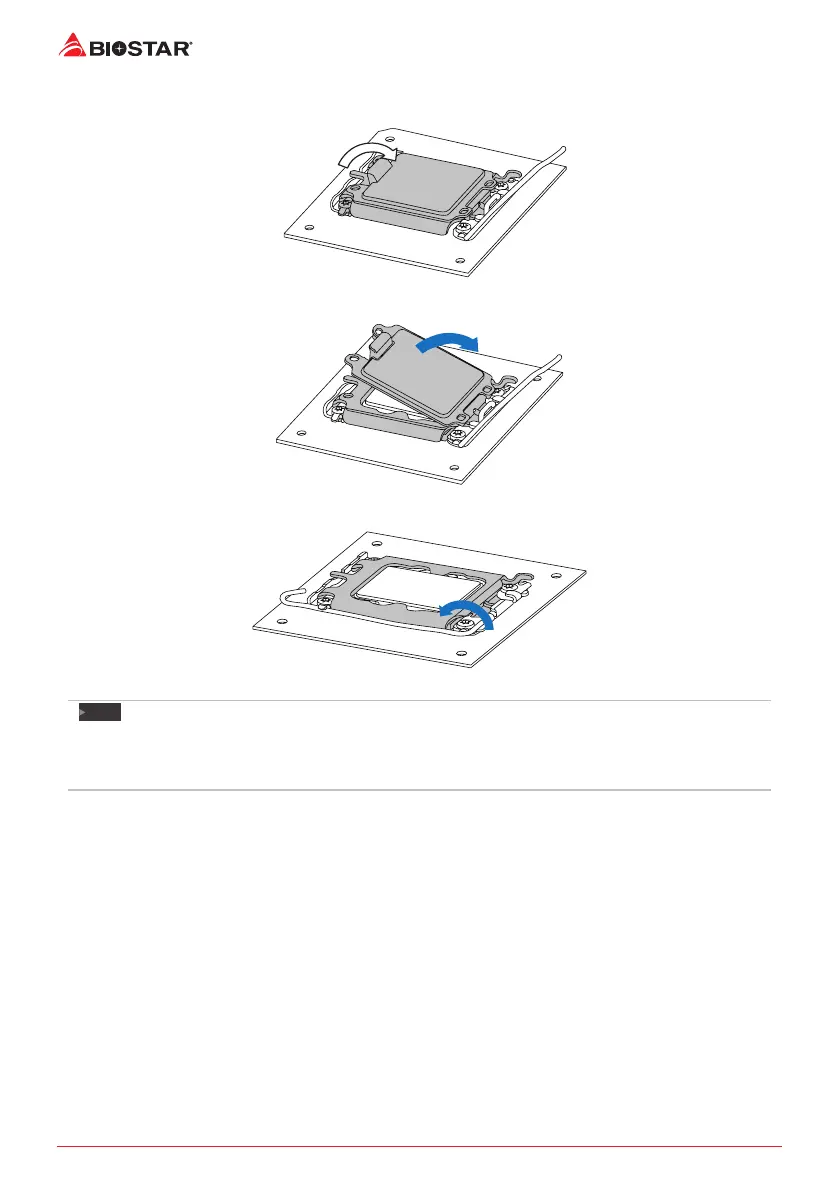
Step 4: Close the load plate.
Step 5: Remove and save cover.
Step 6: Close ILM Lever and latch
Note
»
EnsurethatyouinstallthecorrectCPUdesignedforLGA1700socket.
»
TheCPUtsonlyinonecorrectorientaon.DonotforcetheCPUintothesockettoprevent
damagingtheCPU.


 To Next Page
 Loading...