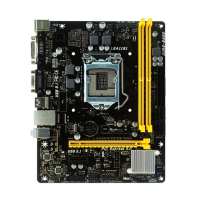
Need help?
Do you have a question about the Biostar H110MHV3 and is the answer not in the manual?
Declares product compliance with relevant EU directives for safety and electromagnetic compatibility.
Outlines crucial preparation, safety guidelines, and environmental considerations before installation.
Lists all included accessories and components to verify upon receiving the motherboard.
Details the motherboard's technical specifications, including CPU support, memory, LAN, and I/O.
Illustrates and describes the physical ports and connectors located on the motherboard's rear I/O panel.
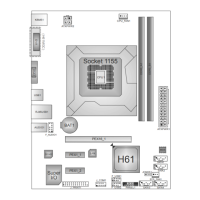
Visual guide identifying the placement of key components, headers, and connectors on the motherboard.
Step-by-step instructions for safely installing the CPU into the motherboard's LGA1151 socket.
Procedure for correctly mounting the CPU heatsink and fan assembly onto the installed processor.
Guidance on connecting CPU and system fans to the appropriate motherboard fan headers.
Instructions for inserting DDR3L DIMM modules into the motherboard's memory slots.
Information on PCI-Express slots for adding graphics cards or other expansion devices.
Explains the function and configuration of motherboard jumpers, including the CMOS clear jumper.
Overview of various internal headers and external connectors for system power and peripherals.
Details the 16-pin header for front panel buttons, LEDs, and speaker connections.
Instructions for connecting front panel USB 2.0 ports via the internal header.
Guide to navigating and configuring system settings within the UEFI BIOS interface.
Step-by-step instructions for updating the motherboard's BIOS using provided utilities.
Information on installing and launching bundled motherboard software utilities.
Utility for customizing the system's boot logo by loading BMP image files.
Description of the utility for collecting and submitting system information to technical support.
Guide to installing essential hardware drivers from the setup DVD for optimal system performance.
Lists and explains beep codes generated by the AMI BIOS to indicate system status or errors.
A comprehensive list of POST codes and their corresponding system initialization stages.
Addresses common system issues, including power, boot failures, and CPU overheating, with solutions.
 General
| Form Factor | Micro ATX |
|---|---|
| Socket | LGA 1151 |
| Chipset | Intel H110 |
| Memory Slots | 2 |
| Maximum Memory | 32GB |
| SATA 6Gb/s | 4 |
| PCI Express x16 | 1 |
| PCI Express x1 | 1 |
| LAN | Realtek RTL8111H |
| Memory Standard | DDR4 |
| USB 3.0 Ports | 2 |
| USB 2.0 Ports | 4 |
| Video Outputs | VGA |
| Audio | Realtek ALC662 |
| RAID Support | No |

 To Next Page