Need help?
Do you have a question about the Biostar H61MLV3 and is the answer not in the manual?
Manages ACPI auto configuration, hibernation, sleep states, and power loss.
Configures CPU features like Hyper-Threading, core activation, and virtualization.
Manages SATA controller mode and SMART self-test for HDDs.
Configures USB legacy support, EHCI hand-off, and port emulation.
Selects primary display, internal graphics, and memory settings.
Configures DRAM timing, frequency, and memory remap.
Sets a password to restrict access to BIOS setup.
Enables or disables the Fixed CPU Ratio setting.
Allows adjustment of the CPU ratio when Fixed CPU Ratio is enabled.
Enables or disables Enhanced Intel SpeedStep Technology.
Enables or disables the CPU Turbo Mode for increased performance.
Manually or automatically regulates DDR3 DRAM timing parameters.
Resets the system after saving the configuration changes.
 General
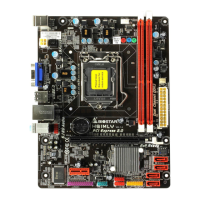
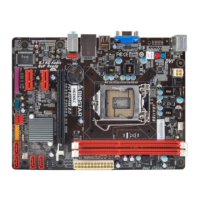
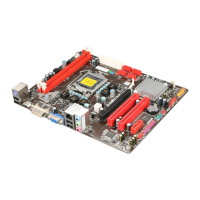
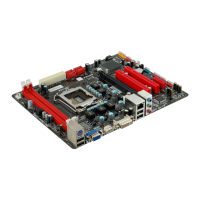
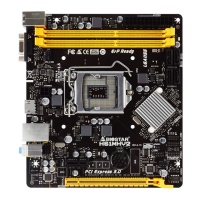
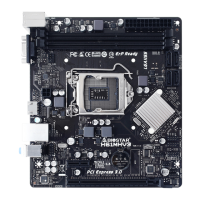
| Form Factor | Micro ATX |
|---|---|
| Socket | LGA 1155 |
| Chipset | Intel H61 |
| Memory Slots | 2 |
| Maximum Memory | 16 GB |
| Memory Type | DDR3 |
| Storage Interface | SATA II |
| Expansion Slots Version | PCIe 2.0 |
| USB Ports (Rear) | 4 x USB 2.0 |
| Audio | Realtek ALC662 6-Channel HD Audio |
| LAN | Realtek RTL8111E |
| LAN Speed | 10/100/1000 Mbps |
| Memory Standard | DDR3 1333/1066 |
| SATA Ports | 4 |
| USB Ports (Front) | 2 x USB 2.0 |
| USB Ports (Headers) | 2 x USB 2.0 |
| Video Outputs | VGA |
| Power Connector | 24-pin ATX, 4-pin ATX 12V |
| Expansion Slots | 1 x PCIe 2.0 x16, 1 x PCIe 2.0 x1, 1 x PCI |


 To Next Page