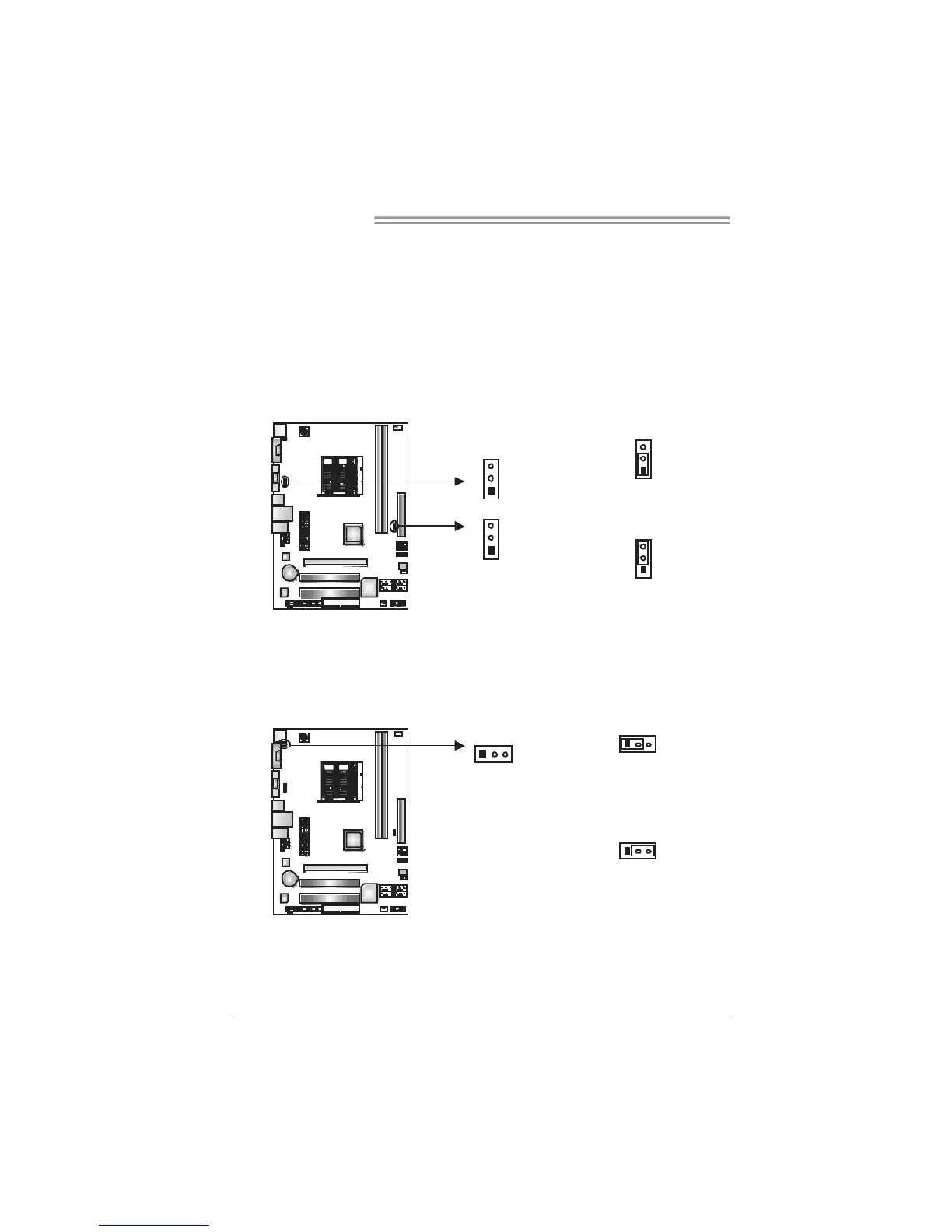
J USB PW R1 /J USB PW R2 : P o we r S ou r ce Hea de r s fo r USB Po rts
Pin 1-2 Close:
JUSBPWR1: +5V for USB ports at JUSB1/JUSBLAN1.
JUSBPWR2: +5V for USB ports at f ront panel (JUSB2/JUSB3/JUSB4).
Pin 2-3 Close:
JUSBPWR1: USB ports at JUSB1/JUSBLAN1 are powered by +5V standby
voltage.
JUSBPWR2: USB ports at front panel (JUSB2/JUSB3/JUSB4) are powered
by +5V standby voltage.
1
3
Pin 1-2 close
1
3
JUSBPWR1
JUSBPWR2
1
3
1
3
Pin 2-3 close
Note:
In order to support this func tion “Power-On sys tem via U SB device,” “JUSBPWR 1/
JUSBPWR 2” jumper c ap should be placed on Pi n 2-3 indi viduall y.
JKBMSPWR1: Power Source Header for PS/2 Keyboard and Mouse
13
Pin 1-2 close
+5V for PS/2 keyboard and
mouse.
13
13
Pin 2-3 close
PS/2 keyboard and mouse are
powered by +5V standby
voltage.
Note:
In order to support this func tion “Power-on s ystem via keyboar d and mouse”,
“JKBMSPWR1” j umper cap s houl d be placed on Pi n 2-3.


 To Next Page
 Loading...