TP67B+ UEFI BIOS Manual
13
Fan Ctrl Start Value
This item sets CPU FAN Start Speed Value.
Options: 50 (Default)
Fan Ctrl Sensitive
The bigger the numeral is, the higher the FAN speed is.
Options: 30 (Default)
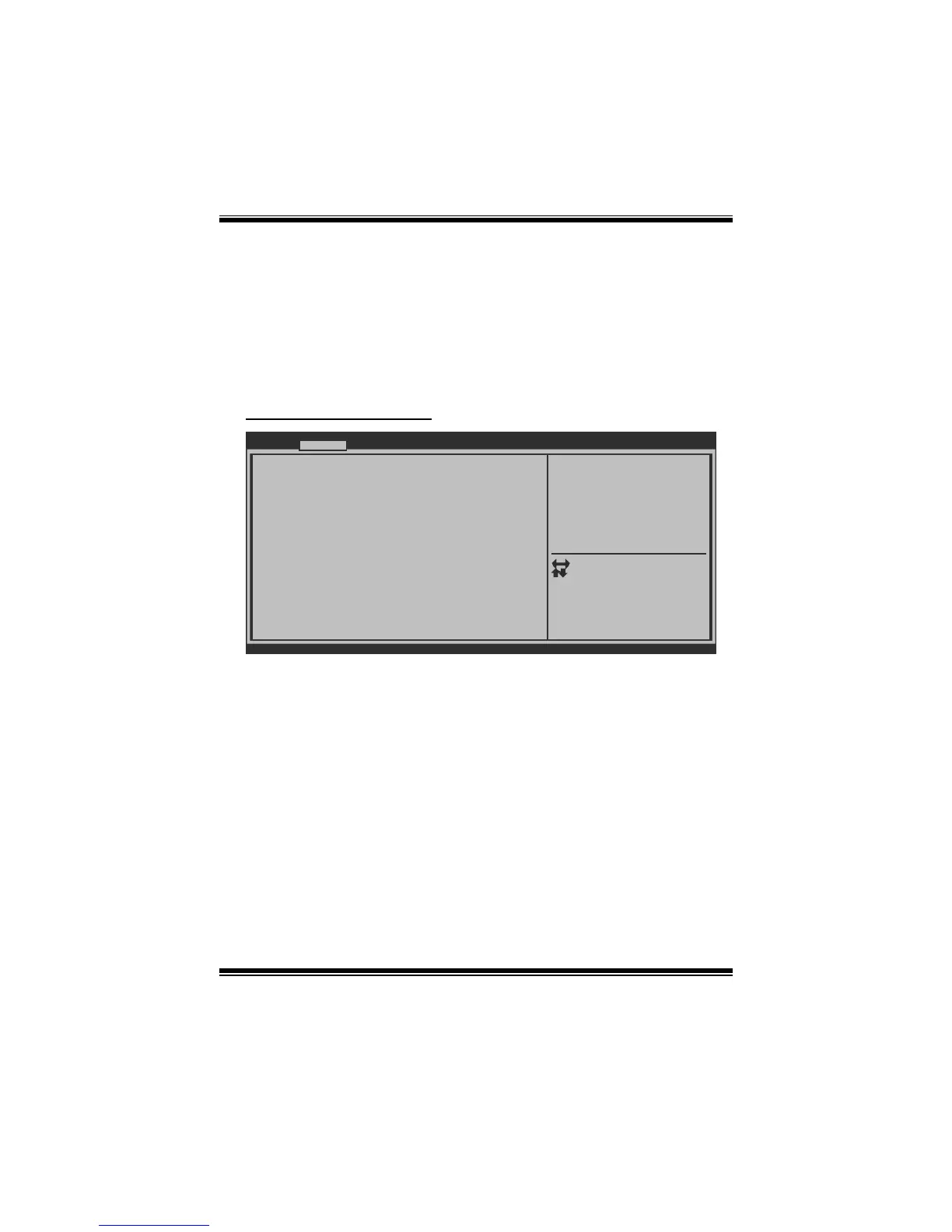
Super IO Configuration
BIOS SETUP UTILITY
Super IO Configuration
> Serial Port 0 Configuration
> CIR Controller Configuration
Super IO Chip
Restore AC Power Loss [Power Off]
Version x.xx.xxxx. Copyright© 201x, American Megatrends, Inc.
Advanced
Specify what state to go to
when power is re-applied
after a power failure.
Select Screen
Select Item
Select
Change Opt.
General Help
Optimized Defaults
Save & Reset
Exit
Enter
+/-
F1
F3
F4
ESC
Restore AC Power Loss
This setting specifies how your system should behave after a power fail or interrupts
occurs. Power Off: Leaving the system in power-off status aft er power recovers.
Power ON: Powering on the system immediately when power returns. Last State: 1.
Leaving the system in power-off if the system shuts down at DC off status; 2.
Powering on the system immediately if the system shuts down at DC on status.
Options: Power Off (Default) / Power On / Last State








 To Next Page