TZ77XE3/TZ75XE3 UEFI BIOS Manual
10
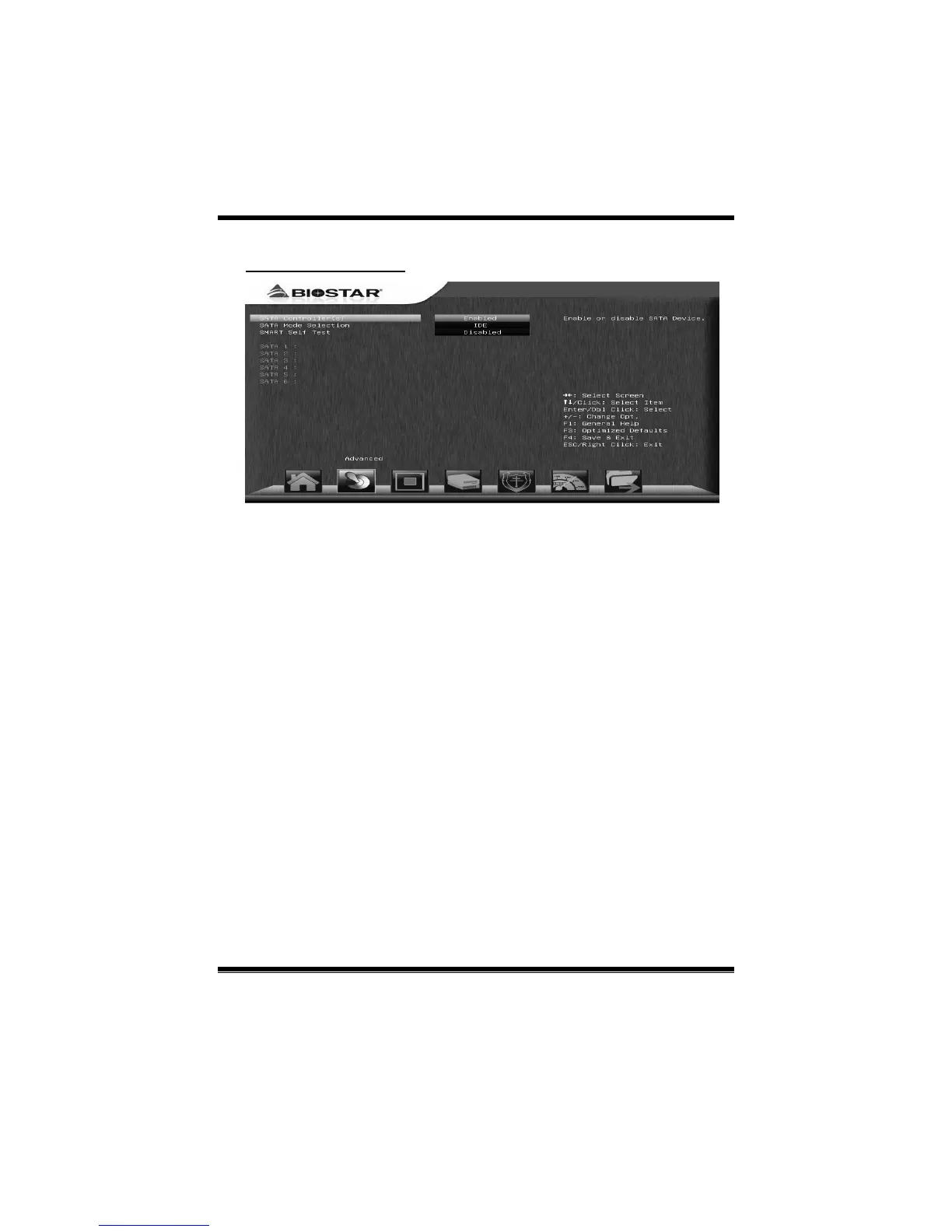
SATA Configuration
SATA Controller(s)
This item enables /disables Serial ATA Device.
Options: Enabled (Default) / Disabled
SATA Mode Selection
This item determines how SATA controller(s) operate.
Options: IDE (Default) / AHCI / RAID
SMART Self Test
This item runs SMART Self Test on all HDDs during POST.
Options: Disabled (Default) / Enabled
Aggressive LPM Support
This item enables PCH to aggress ively enter link power state.
Options: Enabled (Default) / Disabled
SATA Controller Speed
This item indicates the maximum speed the SATA controller can support.
Options: Gen3 (Default) / Gen1 / Gen2



 To Next Page