TZ77XE3/TZ75XE3 UEFI BIOS Manual
6
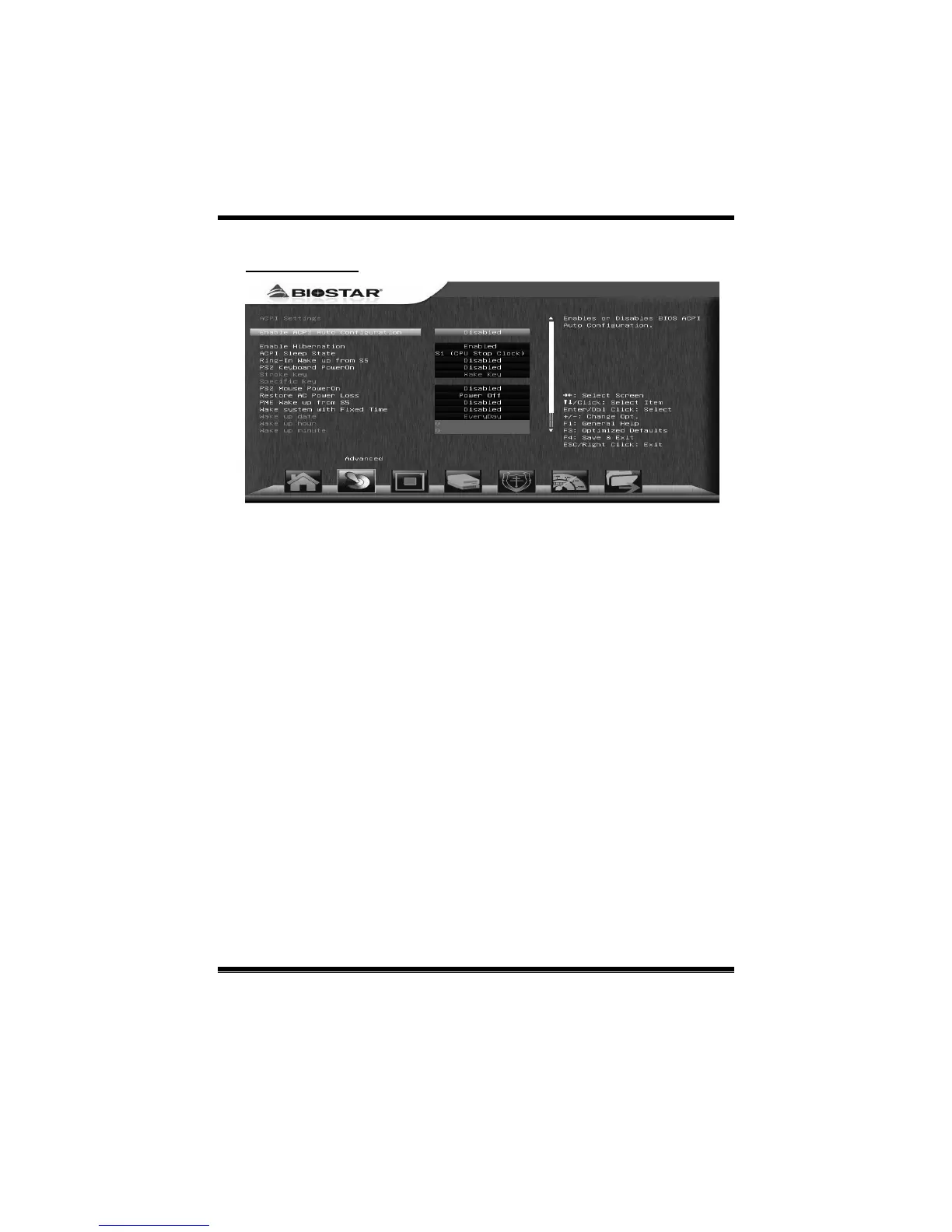
ACPI Settings
Enable ACPI Auto Configuration
This item enables or disables BIOS ACPI Auto Configuration.
Options: Disabled (Default) / Enabled
Enable Hibernation
This item enables or disab les s ystem ability to hibernate (OS/S 4 Sleep State). This
option may be not effective with some OSes.
Options: Enabled (Default) / Disabled
ACPI Sleep State
This item selects the highest ACPI sleep state the system will enter when the
SUSPEND button is pressed.
Options: S1 (CPU Stop Clock) (Default) / Suspend Disabled / S3 (Suspend to
RAM)
Ring-In Wake up from S5
This item enables the system to wake from S5 using Ring-In event.
Options: Disabled (Default) / Enabled



 To Next Page