10
Coach/Beat check
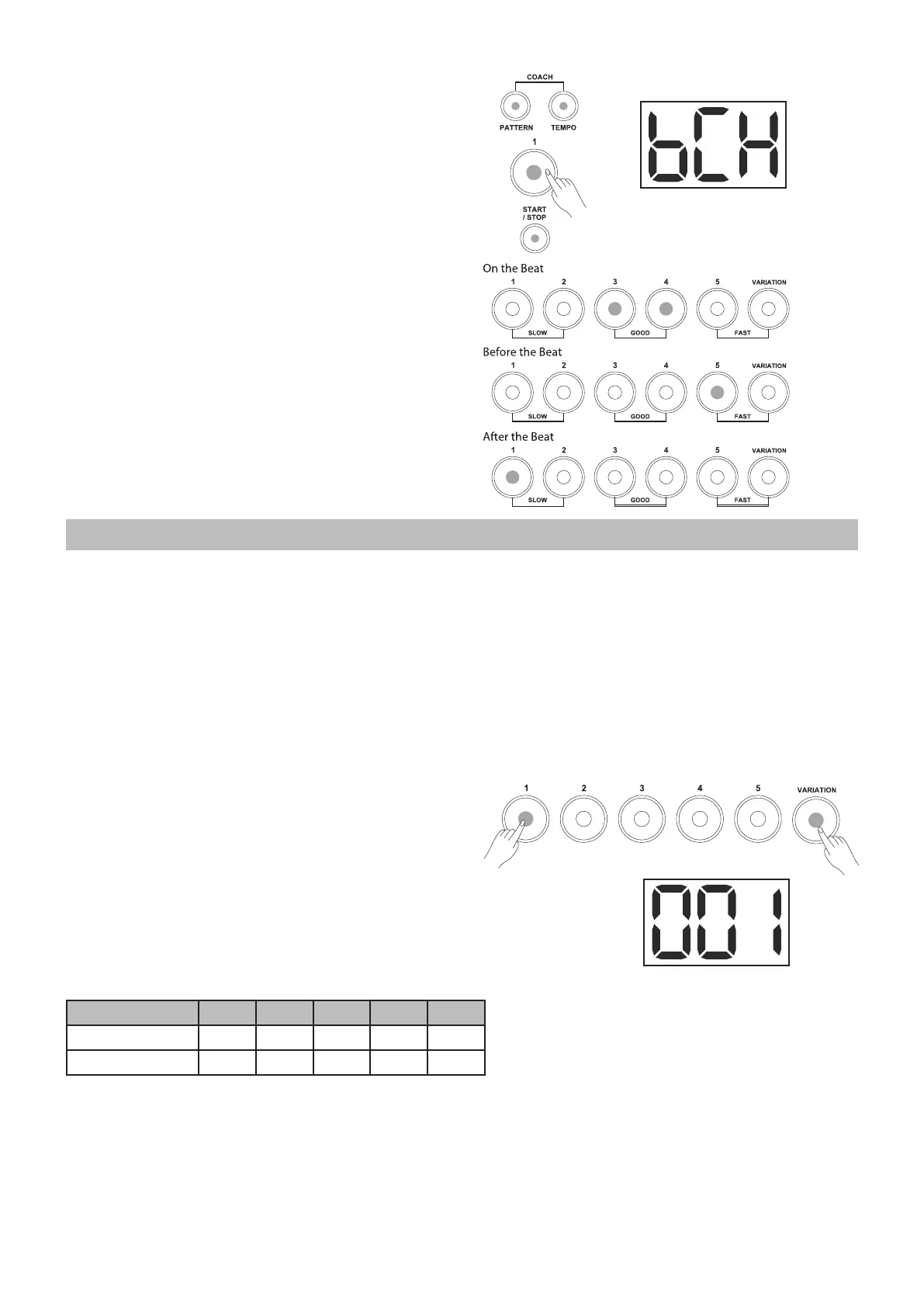
The Beat Check mode is designed to train your beat
accuracy with the metronome.
1. Press the [PATTERN] and [TEMPO] buttons
simultaneously to enter the Coach mode.
The [PATTERN] and [TEMPO] buttons' LEDs light
up, and then press the [1] button. Select the Beat
Check training mode.
2. Press the [START/STOP] or [CLICK] button to
start or stop practicing. Hit the pads to play along
to the beat of the metronome. The 6 LEDs at the
bottom of the drum module will show your hitting
accuracy.
Note:
1. You can set the beat type (3-4, 4-4, etc.) before
you start practicing. Refer to the SETTING THE
METRONOME section for further details.
2. Before you start practicing, you can also adjust
the tempo value.
For further details about the Coach types, please
refer to ADVANCED USE.
Playing with drum kit
About the drum kits
It is very easy to select a drum kit to play. What’s more,
you can also adjust the volume of each kit.
There are 10 kits for you to choose from in this digital
drum.
Selecting a drum kit
In order to select a drum kit, hold the [VARIATION]
button down and press one of the numbered
buttons [1-5].
1. The [VARIATION] button's LED can toggle
between red and green by pressing the
[VARIATION] button.
2. When the [VARIATION] button's LED is lit up in
red, you can select the kits 1-5 by pressing the
numbered buttons [1-5].
3. When the [VARIATION] button's LED is lit up in
green, you can select the kits 6-10 by pressing
the numbered buttons [1-5].
[VARIATION] [1] [2] [3] [4] [5]
RED KIT1 KIT2 KIT3 KIT4 KIT5
GREEN KIT6 KIT7 KIT8 KIT9 KIT10



 To Next Page