16
1. If you have hit more than 80% of beats correctly
in the 4 measures, the tempo value will increase
by 5 BPM.
2. If you have hit between 40 and 80% of the beats
correctly in the 4 measures, the tempo will stay
the same and keep its current value.
3. If you have hit less than 40% of the beats
correctly in the 4 measures, the tempo value will
decrease by 5 BPM.
G-2: The tempo will increase or decrease by 1 BPM
each measure.
In G-2, you can set the initial tempo value before
starting to practice.
During the tempo increase, you can decrease the
tempo value manually by pressing the [TEMPO]
button.
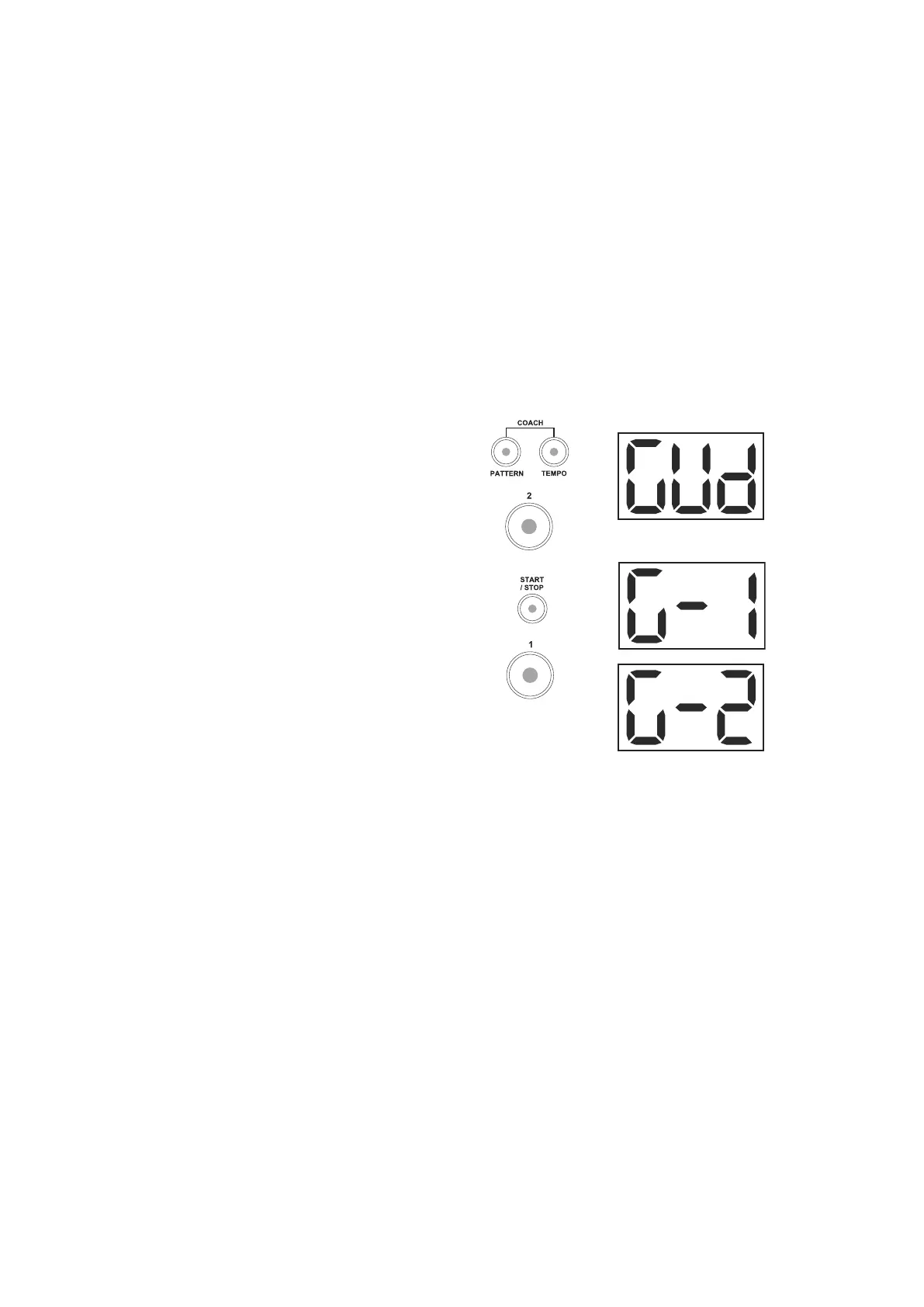
How to practice:
1. In coach mode, press the [2] button to enter this
training.
2. Press the [START/STOP] button to enter Gradual
Up/Down preparation. The LED of the [START/
STOP] button starts flashing.
3. Press the [1] button to choose G-1 type, or press
the [2] button to choose G-2 type. Set the time
signature and interval you want to practice.
Please refer to the SETTING THE METRONOME
section for setting the metronome parameters.
4. Press the [START/STOP] button to start the
Gradual up/down practicing. The current tempo
value will be displayed on the 3-digit LED screen.
Your hitting accuracy will be indicated by the 6
LEDs at the bottom of the drum module.
5. Press the [START/STOP] button to stop the
Gradual Up/Down practicing.
Example: G-1 practice
1. Select the Gradual up/down training.
Press the [PATTERN] and [TEMPO] buttons
simultaneously to enter the Coach mode.
Press the [2] button to select the Gradual Up/
Down training.
Press the [START/STOP] button to enter
preparation.
Press the [1] button to select the "G-1" training.
2. Select your desired time signature, interval and
tempo.
Hold the [CLICK] button down and press the
[2] button to enter the Time Signature page.
Press the [+] or [-] button to select the "4-4" time
signature.
Hold the [CLICK] button down and press the [3]
button to enter the Interval page. Press the [+] or
[-] button to select the "4" interval.
Press the [TEMPO] button, and then press the
[+] or [-] button to adjust the current tempo to 60
BPM.
3. Practice in G-1 mode.



 To Next Page