29
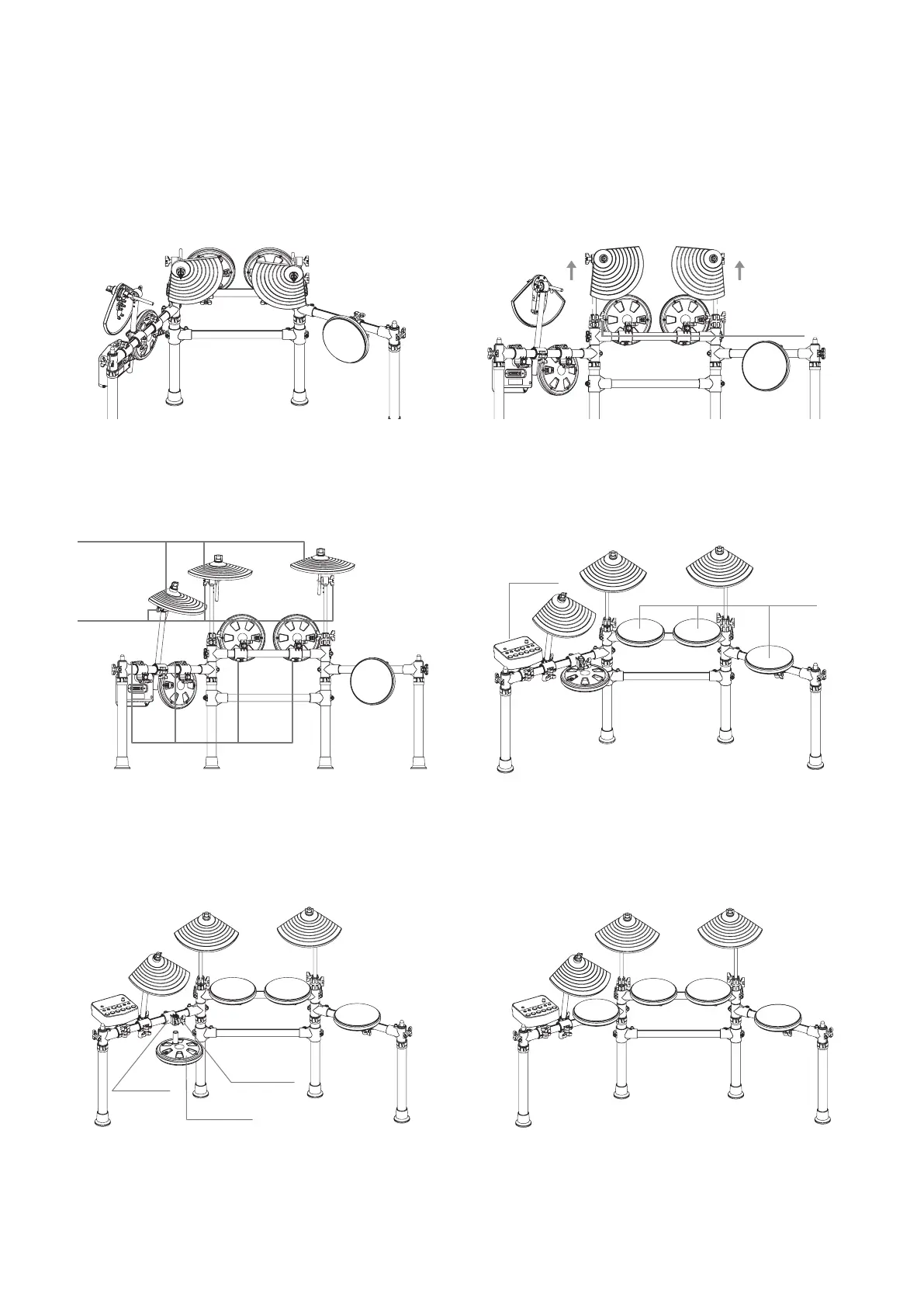
6. Loosen the wing nut E and pull up cymbal stands F, then tighten the wing nuts E
7. Loosen the wing nut G, adjust the cymbal H as shown in
the illustration, and the tighten the wing nuts G
9. Loosen the wing nut L, remove the drum N in order to perform a 180° rotation, insert it back into the clamp
M, and then tighten the wing nut L
8. Loosen the wing nuts I, adjust the drum K and module J as
shown in the illustration, and then tighten the wing nuts I
Wing Nuts E
Clamp M
Wing nut L
Drum N
Cymbals H
Wing Nuts G
Wing Nuts I
Module J
Drum K



 To Next Page