EasyManua.ls Logo

BIRD MARK 7 - Page 16

Default Icon
58 pages
Print Icon
To Next Page IconTo Next Page
To Previous Page IconTo Previous Page
Loading...
DISASSEMBLY
AND.
REASSEMBLY
INSTRUCTIONS
SECTION
6:
DISASSEMBLY
AND
REASSEMBLY
INSTRUCTIONS
3.10
Remove
all
plastic
grip
rings
and
using
either
a
%6"
nut
driver
or
open
end
wrench,
remove
ail
female
quick-disconnect
fittings
from
Centerbody.
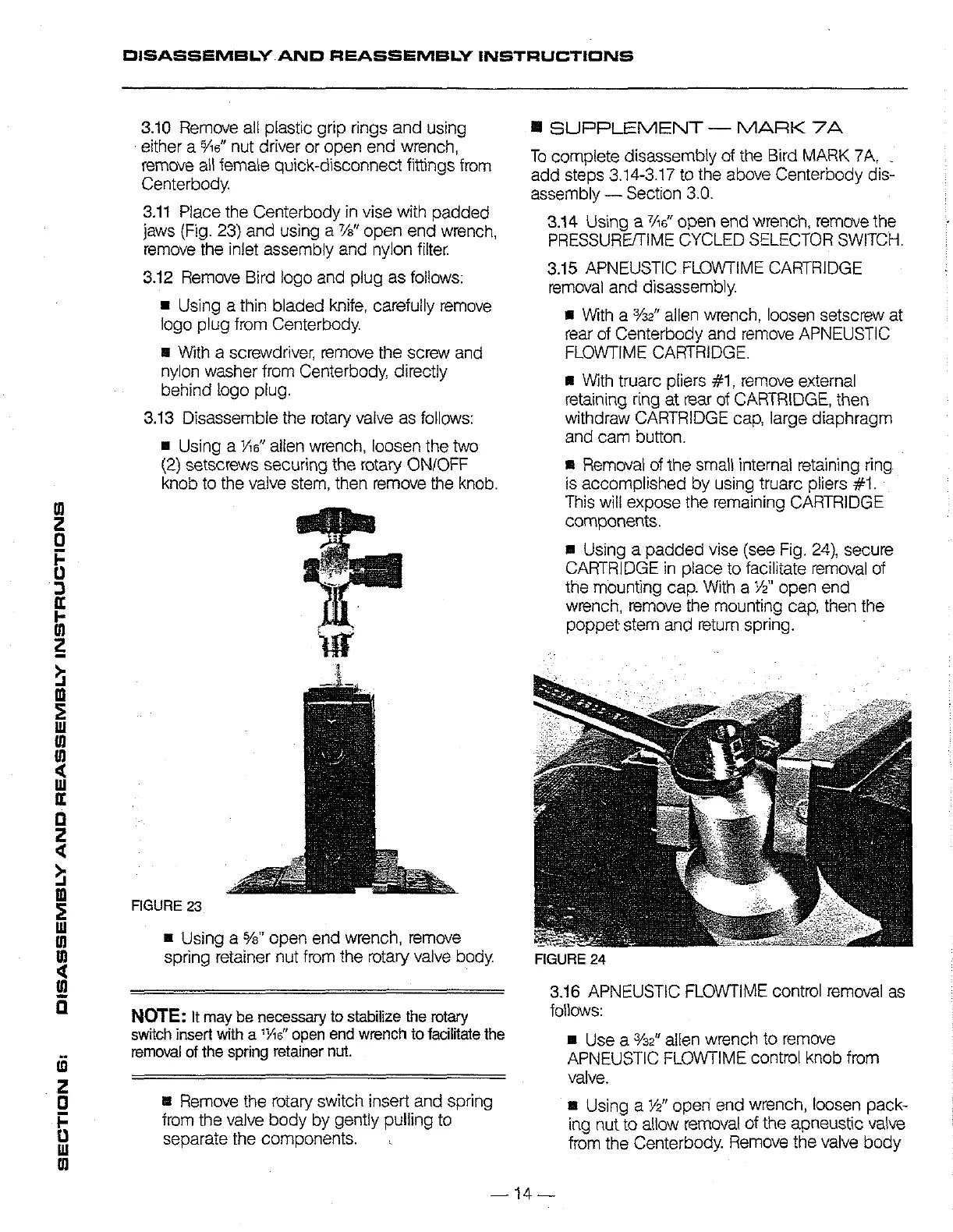
3.11
Place
the
Centerbody
in
vise
with
padded
jaws
(Fig.
23)
and
using
a
76"
open
end
wrench,
remove
the
inlet
assembly
and
nylon
filter.
3.12
Remove
Bird
logo
and
plug
as
follows:
E
Using
a
thin
bladed
knife,
carefully
remove
logo
plug
from
Centerbody.
=
With
a
screwdriver,
remove
the
screw
and
nylon
washer
from
Centerbody,
directly
behind
logo
plug.
3.13
Disassembie
the
rotary
valve
as
follows:
m
Using
a
Vs"
alien
wrench,
loosen
the
two
(2)
setscrews
securing
the
rotary
ON/OFF
knob
to
the
valve
stem,
then
remove
the
knob.
FIGURE
23
m
Using
a
%"
open
end
wrench,
remove
spring
retainer
nut
from
the
rotary
valve
body.
NOTE:
It
may
be
necessary
to
stabilize
the
rotary
switch
insert
with
a
“Ne”
open
end
wrench
to
facilitate
the
removal
of
the
spring
retainer
nut.
m
Remove
the
rotary
switch
insert
and
spring
from
the
valve
body
by
gently
pulling
to
separate
the
components.
x
8
SUPPLEMENT
MARK
7A
To
complete
disassembly
of
the
Bird
MARK
7A,
.
add
steps
3.14-3.17
to
the
above
Centerbody
dis-
assembly
Section
3.0.
3.14
Using
a
76°
open
end
wrench,
remove
the
PRESSURE/TIME
CYCLED
SELECTOR
SWITCH.
3.15
APNEUSTIC
FLOWTIME
CARTRIDGE
removal
and
disassembly.
m
With
a
%e”
allen
wrench,
loosen
setscrew
at
rear
of
Centerbody
and
remove
APNEUSTIC
FLOWTIME
CARTRIDGE.
&
With
truarc
pliers
#1,
remove
external
retaining
ring
at
rear
of
CARTRIDGE,
then
withdraw
CARTRIDGE
cap,
large
diaphragm
and
cam
button.
m
Removal
of
ine
small
internal
retaining
ring
is
accomplished
by
using
truarc
pliers
#1.
This
will
expose
the
remaining
CARTRIDGE
components.
#
Using
a
padded
vise
(see
Fig.
24),
secure
CARTRIDGE
in
place
to
facilitate
removal
of
the
mounting
cap.
With
a
2"
open
end
wrench,
remove
the
mounting
cap,
then
the
poppet
stem
and
return
spring.
FIGURE
24
3.16
APNEUSTIC
FLOWTIME
control
removal
as
follows:
m
Use
a
%2"
allen
wrench
to
remove
APNEUSTIC
FLOWTIME
control
knob
from
valve.
m
Using
a
%”
open
end
wrench,
loosen
pack-
ing
nut
to
allow
removal
of
the
apneustic
valve
from
the
Centerbody.
Remove
the
valve
body
14

Related product manuals