Introduction
14
Trace Settings
The number of traces displayed and the minimum and maximum grid scale
values can be manually changed.
Note: SiteHawk is capable of displaying up to 4 traces.
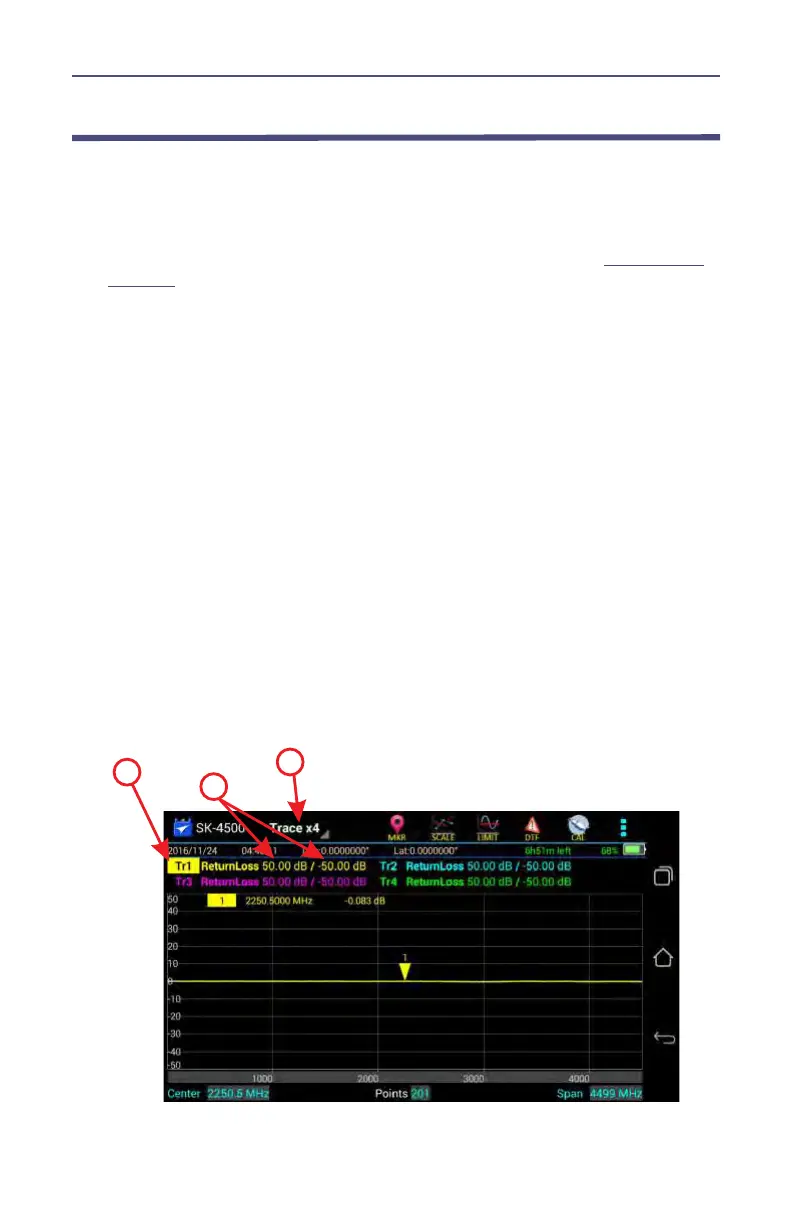
1. Press the Trace name (e.g. Tr1) to select the active trace. See
Figure 5 on
page 14
.
Note: The Trace name will be highlighted to indicate the active
Trace.
2. Change one or both trace limits to change the grid scale for the trace:
Set the maximum value
a. Press the maximum value to open the Top value dialog.
b. Enter a maximum value.
Set the minimum value
a. Press the minimum value to open the Bottom value dialog.
b. Enter a minimum value.
3. Trace Count Setting
a. Press the Trace icon on the menu bar.
b. Choose the number of traces to display x1, x2, or x4.
Note: Every trace has a name: Tr1, Tr2, Tr3, or Tr4, the name can-
not be changed.
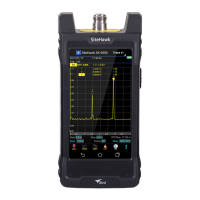
Figure 5 Tracing Settings



 To Next Page