Using the device
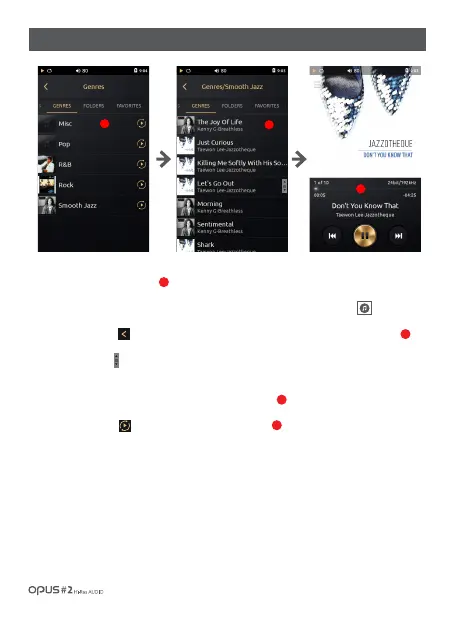
1. ‘Genres’ list displays all genres stored in the device by genres . Album artwork is displayed as a thumbnail
on the left side of the screen.
2. If file does not contain an album artwork it will be displayed as a musical note logo.
3. Press the button [ ] or select a desired song from the list to go back to the Playback screen.
4. Drag ‘Scroll bar’ [ ] up and down to search for a song.
5. Click at the Genre name to display song title, artist and album information and artwork
will be displayed as a thumbnail on the left side of the screen.
6. Press Play button[ ] to play music in the Folder(Genres).
1
2
2
3
1
3
2
/ 17
| Music library ‘Genres’ list screen



 To Next Page