Getting Started
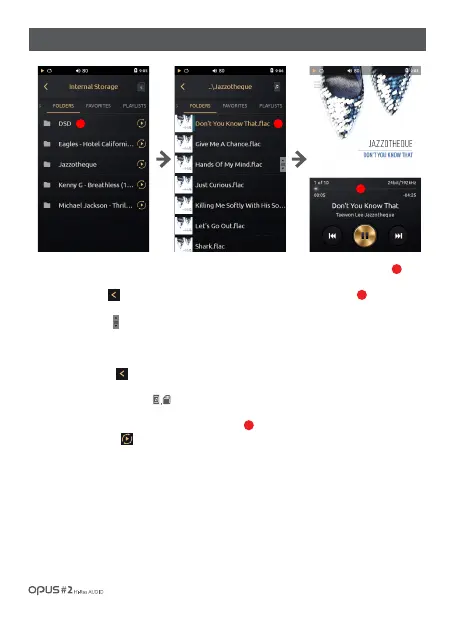
1. ‘Folders’ list is displayed by folder name and file name saved in internal and external memory.
2. Press the button [ ] or select a desired song from the list to go back to the Playback screen.
3. Drag ‘Scroll bar’ [ ] up and down to search for a song.
4. Click at the folder name to show folders and files in sub folder.
5. Press the button [ ] to move to top-level folder from sub folder.
6. Press Memory choice icon [ ] to change memory storage choice to/from Internal to/
from External memory.
7. Press Play button [ ] to play music in the selected folder .
1
2
2
1 1
2
/ 18
| Music library ‘Folders’ list screen



 To Next Page