Using the device
Attention!
EQ function is not functioning during DSD playback due to file format
characteristics.
/ 30
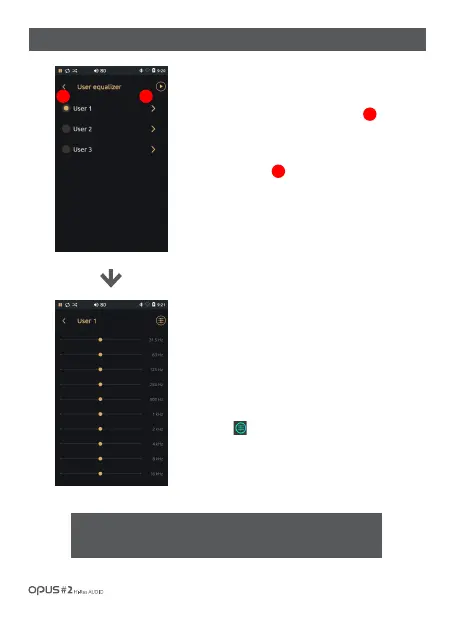
| ‘Audio’ settings screen (2)
Press the next button of User1(User2, 3) to enter
setting menu.
Press the button in the right side from User 1, 2, 3
to enter the menu for User EQ change.
You may drag a frequency bar to adjust it.
(Changed value is saved automatically)
Every User EQ ((User1~3) may be adjusted by 31.5Hz,
63Hz, 125Hz, 250Hz, 500KHz, 1KHz, 2KHz, 4KHz, 8KHz,
16KHz frequencies. .
Press [ ] icon in the right upper corner of the
EQ settings to change all value to the basic level.
21
1
2



 To Next Page