Using the device
/ 32
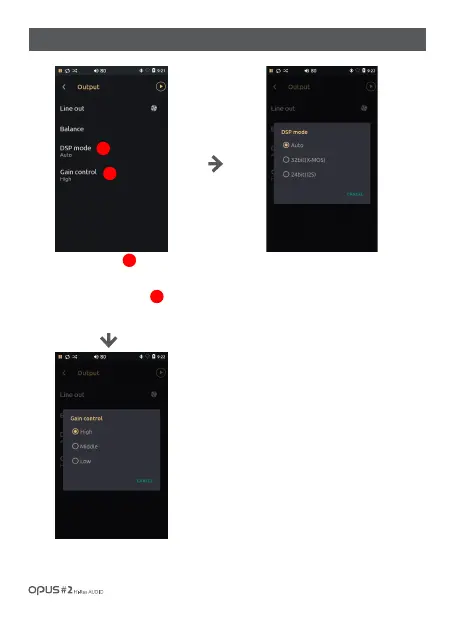
| ‘Output’ settings screen (2)
Press DSP mode
to enter DSP menu.
Press Gain control menu
to enter audio output gain menu.
Auto: Sets automatically depending
on audio format (Basic setting).
32bit (X-MOS): converts all formats to
32 bit (High electricity expenditure that
drains out the battery)
24bit(l2S): converts all formats to
24 bit (In DSD case – playback after
PCM conversion)
High: Sets volume output at the max. (Basic setting)
Middle: Sets volume output at the middle.
Low: Sets the volume output at the min.
1
1
2
2



 To Next Page