Using the device
※Caution! Read carefully! (Erase SD card)
If you choose to erase SD card, you can not cancel this command neither
restore all content from the device.
/ 36
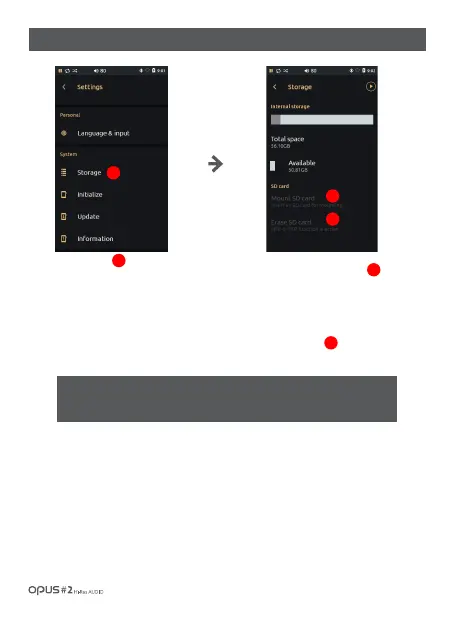
| ‘Storage’ settings screen
Press ‘Storage’ in System in
settings menu to enter the
information menu.
To safely unmount SD card
choose ‘Unmount SD card’
and then remove your SD card
from the device.
If you wish to delete all content
from your SD card, press
‘Erase SD card’.
1
2
3
1
2
3



 To Next Page