Using the device
Caution!
After DB initialize completion only DB data will be renewed and settings will
remain the same.
/ 37
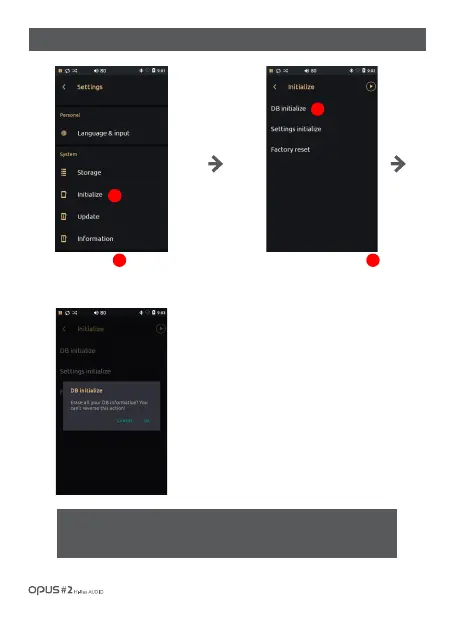
| ‘Initialize’ settings screen (1)
Press ‘Initialize’ in System in
settings menu to enter the menu
for initialization.
1
If you choose DB initialize,
confirmation window will pop up.
Then press OK to start scanning
and new library will be formed.
2
1
2



 To Next Page