Using the device
/ 38
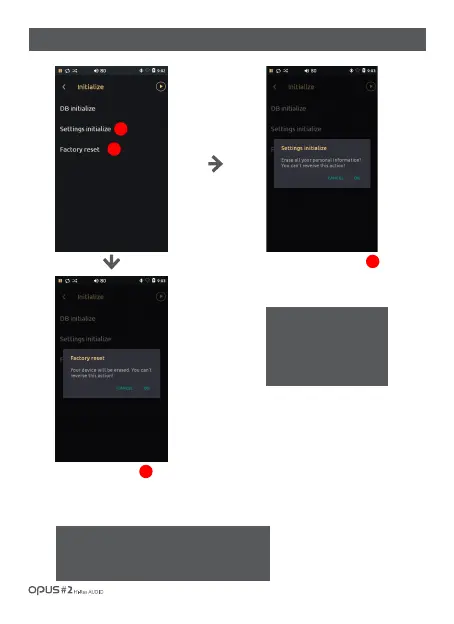
| ‘Initialize’ settings screen (2)
Choose ‘Settings initialize’ to
erase all saved settings, then
confirmation window will pop up.
Press OK to initialize all settings.
3
3
4
4
※Caution!
If Factory reset is performed all data in internal
memory will be deleted and can not be restored.
Back up your data in advance!
Choose ‘Factory reset’ for a
confirmation window to pop up.
Then press OK to reset the device
to Factory setting. All files in Internal
memory will be deleted.
Attention!
If you choose ‘Settings
initialize’ all settings will be
reset to factory initial
settings. Files will not be
deleted.



 To Next Page