Using the device
Attention!
Refer to P10 for more
detailed information about
Firmware update.
※Caution! Read carefully! (Firmware update)
The latest Firmware file must be copied to the top-level folder in internal or
external storage to start a Firmware update.
Latest firmware is available for download at www.audio-opus.com Support>
Firmware.
/ 39
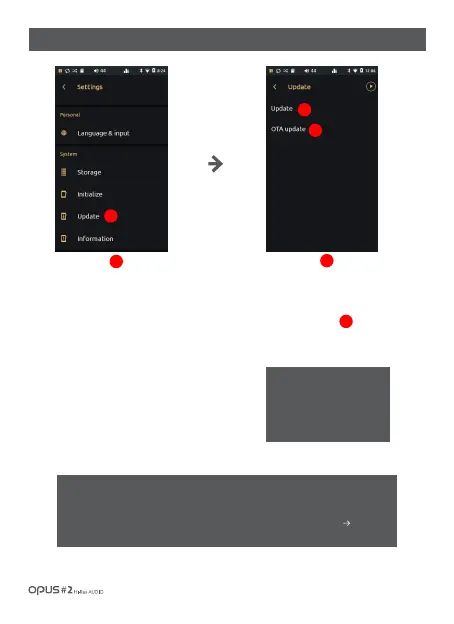
| ‘Update’ settings screen
Press ‘Update’ in System in
settings menu to enter the
update menu for Firmware
upgrade.
1
1
Press ‘Update’ to enter update
menu and to perform update
manually by copying the update
file into internal storage.
Press ‘OTA update’ menu to enter
settings menu, where you can connect
via network and download the update
file automatically.
2
3
2
3



 To Next Page