5. Administering Your Server
5. Administering Your Server
5.1 Checking Your Firmware Version
To check your firmware version:
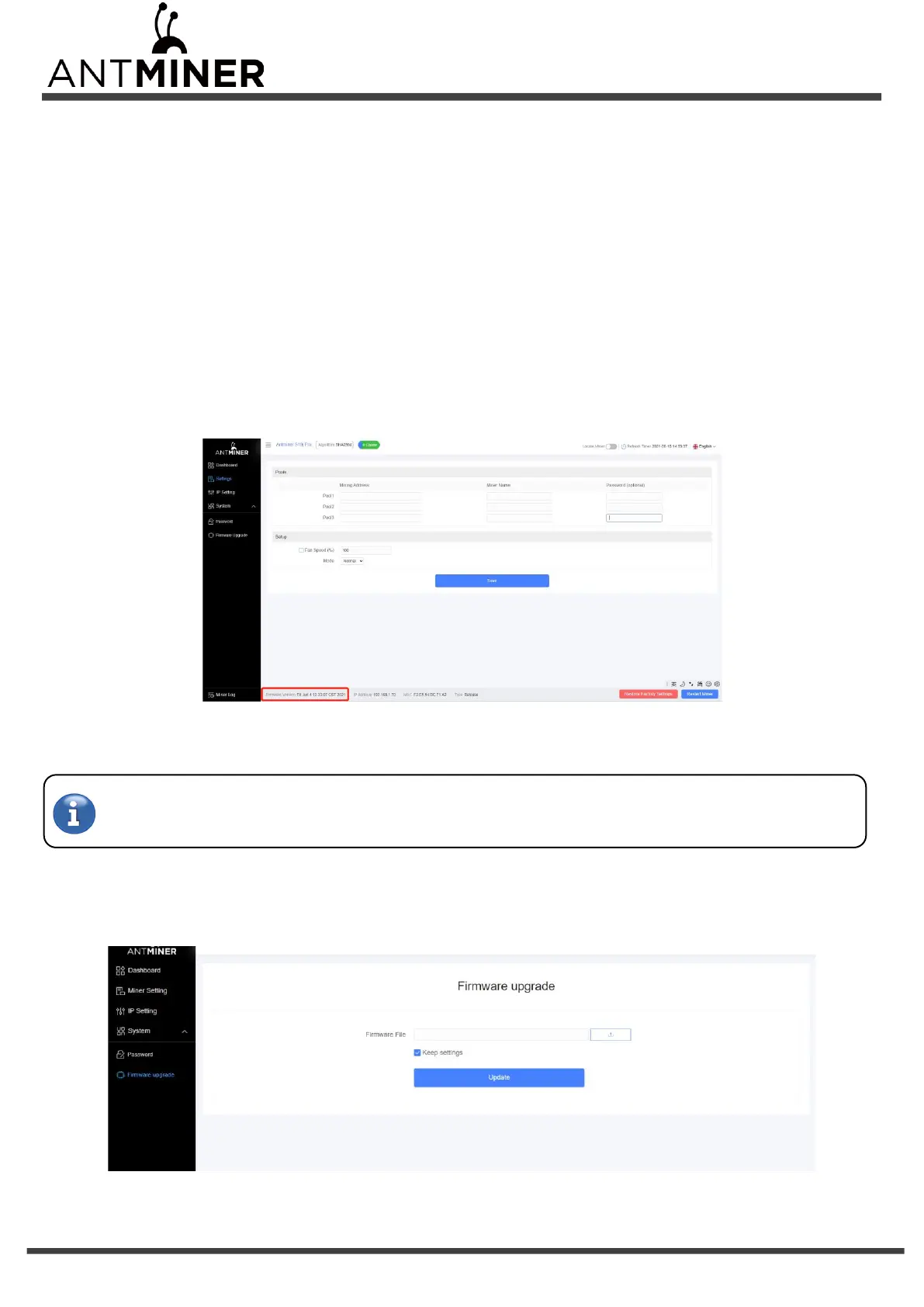
1. Enter the backstage of your server, find the firmware version on the bottom.
2. Firmware Version displays the date of the firmware your server uses. In the examples below, the server is using firmware
version 20210604.
5.2 Upgrading Your System
Make sure that the S19j Pro server remains powered during the upgrade process. If power fails before the upgrade is
completed, you will need to return it to Bitmain for repair.
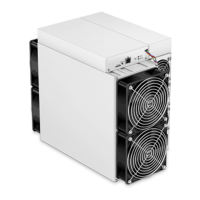
To upgrade the server’s firmware:
1. In System, click Firmware Upgrade.


 To Next Page