SRP-350plus
Rev. 2.04
- 36 -
3) If the user wishes to open Cash Drawer 1 prior to printing, enter “\x1B\x70\x00\x19\xff”
in the ”BeginDoc” space and click the “OK” button.
4) If the user wishes to open Cash Drawer 1 at the end of printing, enter
“\x1B\x70\x00\x19\xff” in the ”EndDoc1” space and click the “OK” button.
5) If the user wishes to feed three lines at the end of printing, enter “3” in the ” EndDoc2”
space and click the “OK” button.
6) When downloading an image to the printer using the NV Image Tool, the image print
command is different.
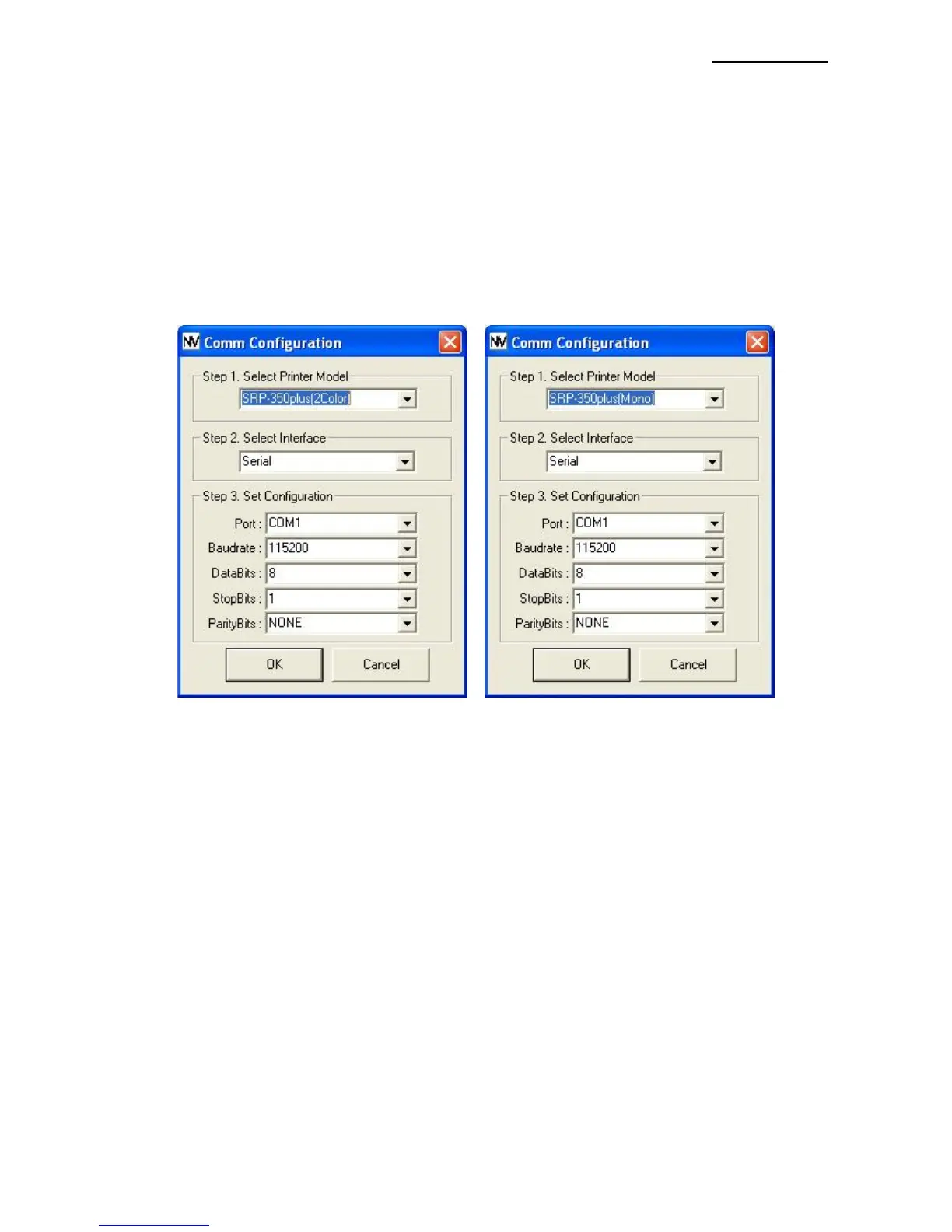
- SRP-350plus
Command: GS ( L pL pH m fn kc1 kc2 x y (Hex: 1D 28 4C pL pH m fn kc1 kc2 x y)
- SRP-350plusMono
Command: FS p n m (Hex: 1C 70 m n)
For more information on the hexadecimals that can be entered in ”BeginDoc” and ”
EndDoc1”, refer to the Control Commands Manual.








 To Next Page