EasyManua.ls Logo

BIXOLON XT Series - 4-2 WLAN Setting Values

BIXOLON XT Series
42 pages
Print Icon
To Next Page IconTo Next Page
To Previous Page IconTo Previous Page
Loading...
Network Connection Manual
Ver.2.01
- 12 -
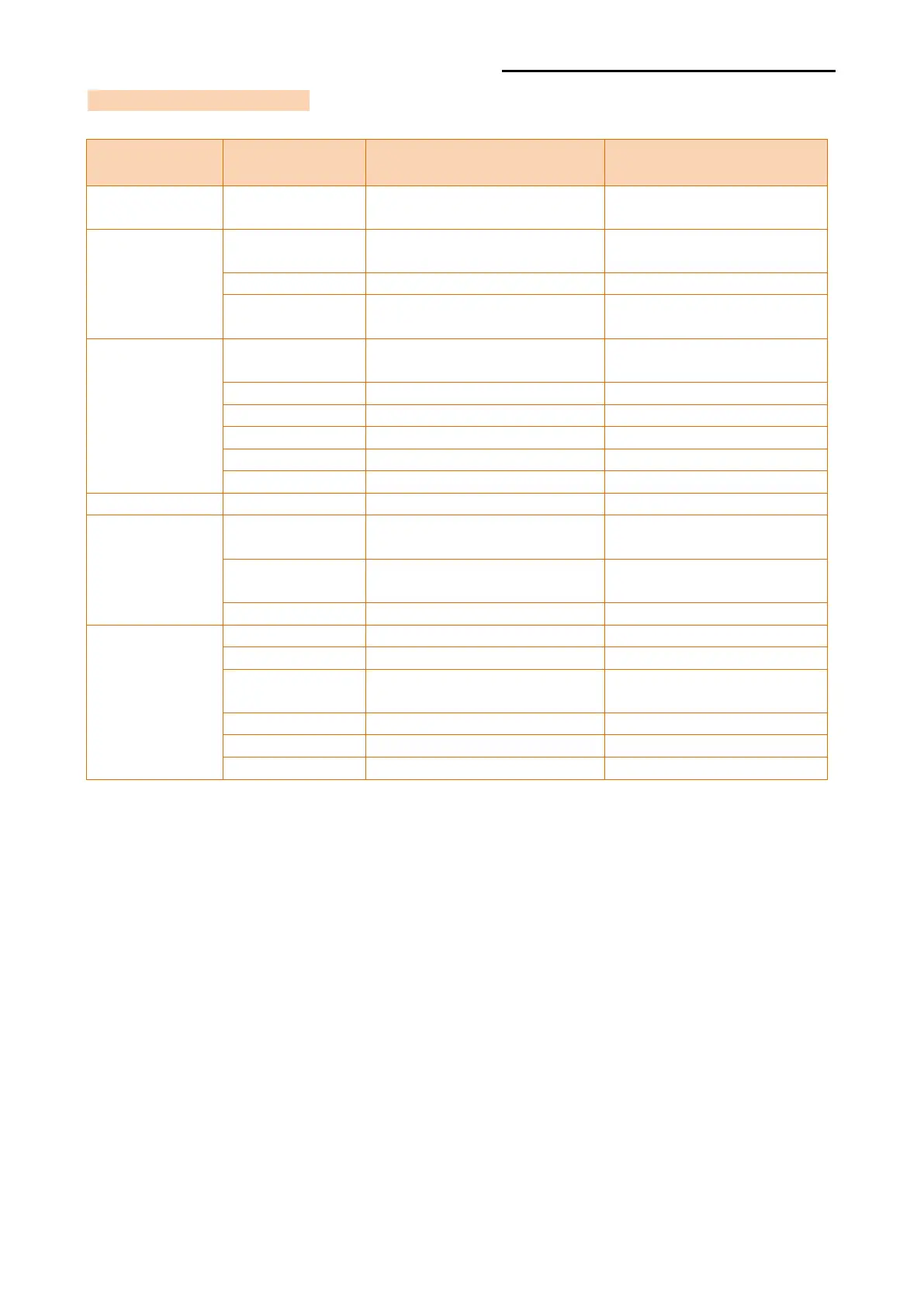
4-2 WLAN Setting Values
Classification
Item
Remarks
Input Range
System
WLAN setting status
display
Wireless
Connection
Type
Wireless LAN operating
mode
Infrastructure/Adhoc/Soft
AP/WiFi Direct
SSID
ID of the AP to connect
1~32 letters
WLAN
Security Type
Wireless LAN
authentication method
open, wpa1/2-psk
Network
Connection
Type
ConnectionType status
display
DHCP
Set whether to use DHCP
ON/OFF
IP
Printer IP
IP Address
Subnet
Subnet mask
IP Address
Gateway
Default Gateway
IP Address
DNS
Domain name server IP
IP Address
Traffic
Traffic status display
Security
CA
Server Certificate
Authentication
Client
Client Certificate
Authentication
Key
Client Certificate Key
Etc
Account
Account
Reboot
Reboot
Firmware
Update
Firmware update for Wlan
TCP Port
TCP Port
Inactivity Time
TCP connection hold time
XPM Server
Seting for XPM Server