OPERATING INSTRUCTIONS
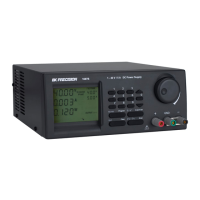
Showing output terminals in ON/OFF state.
Showing keypad & Jog dial are in Locked (de-activated) or Unlock (activated) state.
Unit is ready for or has already been linked up with computer.
OUTPUT ENABLE/DISABLE AT POWER UP
Press the SHIFT then the UP key.
This will enable the output at power up.
i.e. When you switch on the power supply,
the output is also on automatically with last set voltage value.
Press the SHIFT then the DN key.
This will disable the output at power up.
This is the default setting for safety reason!!
WARNING SYMBOL ON DISPLAY
Over Voltage Protection is activated. Take off all loads. See Precautions at first page.
UPPER VOLTAGE LIMIT SYMBOL ON DISPLAY
Press the SHIFT then the 0 key.
The display on the LCD shows the unit ready for input of Upper Limit Range and the original set voltage.










 To Next Page