Internal Preset Memory
The operation principle is the same as Internal Timed Program
To activate the selected preset, click on the box of the [Select] column then click Run.
If retrieved or entered data exceed present Upper or Lower limit setting of voltage/current/time, the data becomes red in color.
9.4 Operation Instruction for RS-485 Interface
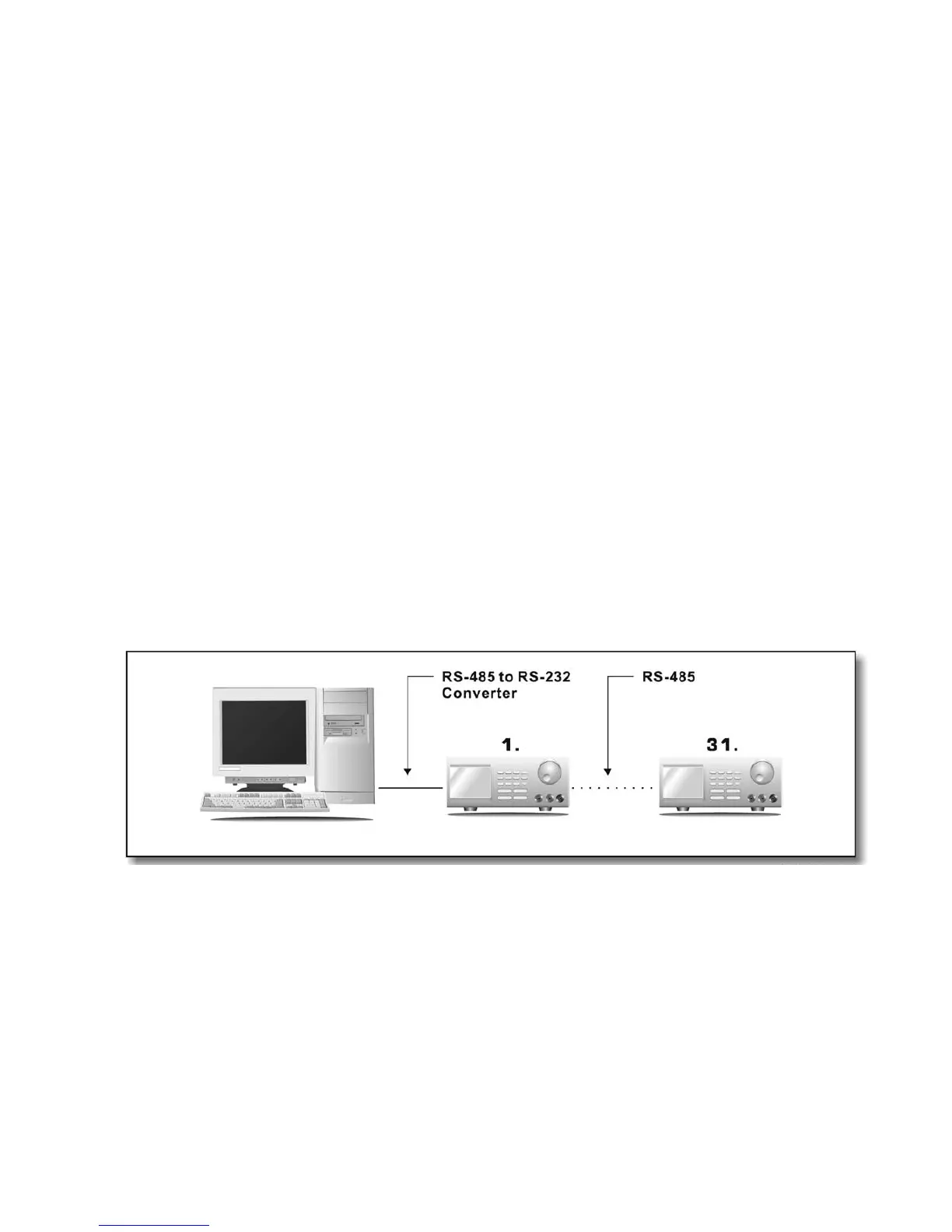
This interface operation is provided for remote access/control up to 31 power supplies. The setup procedures below:
9.4.1 Configuration of each Power Supply
1. Make certain that your PC is OFF. Use RS-485 plug to connect the power supplies to each other.
2. Check to see if the PC’s are interconnected. Use RS-485 to RS-232 converter to connect power supplies and the serial com port of
your PC (Fig. 4.).










 To Next Page