GENERAL INFORMATION
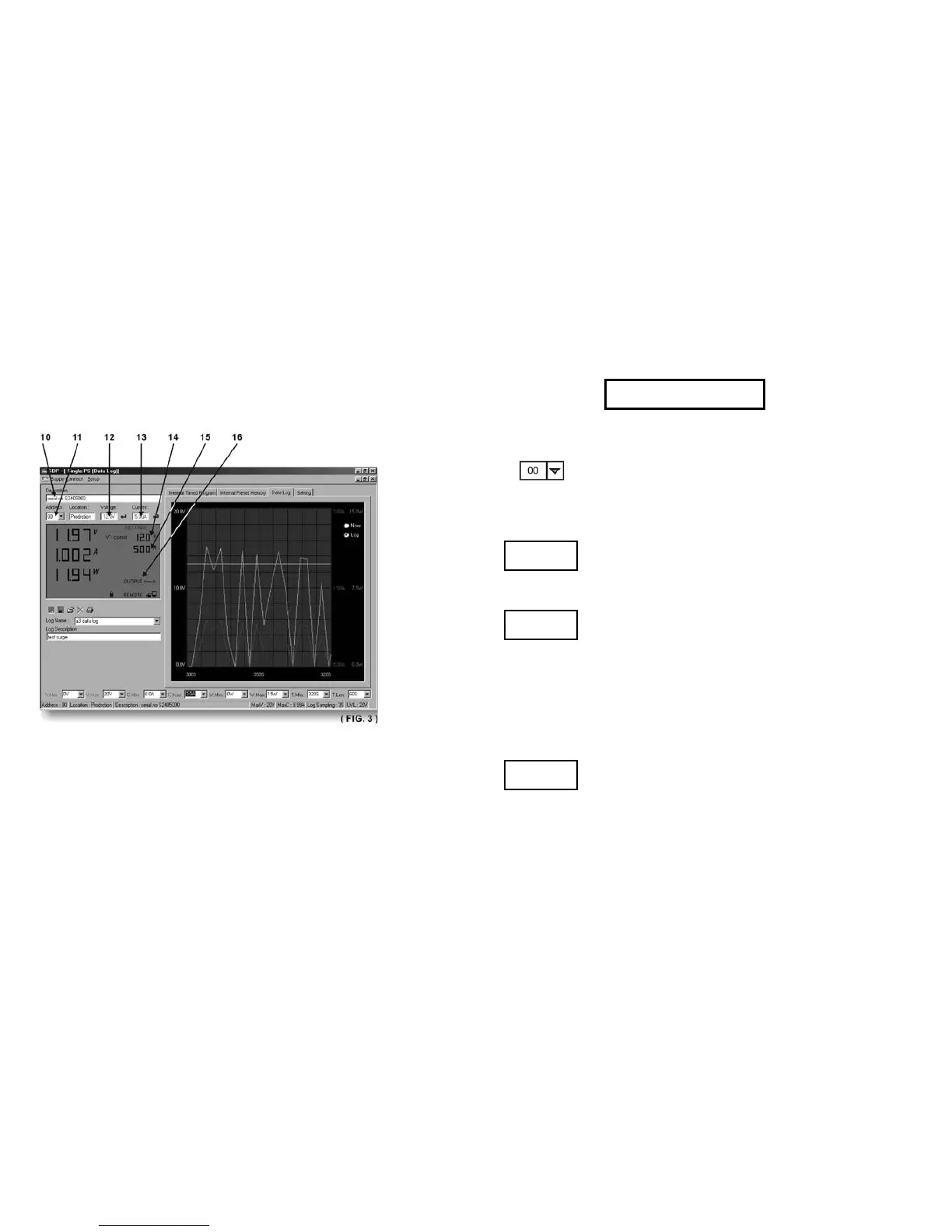
Please refer to (Fig. 3) for the following description. 10.
Power Supply Description:
You may click on and assign an identification number for your power supply in use.
Actually this feature is used mainly when you have multiple power supplies in use via the RS-485.
11. Address:
This function is for multiple power supply applications. Each power supply has a unique address.
Ignore this function when using RS-232.
12. Voltage:
Enter the desired output voltage with decimal point.
13. Current:
Enter the desired current limit with decimal point.
14. and 15.
Alternative way to adjust output voltage and current;
Left click increases by 0.1 units.
Right click decreases by 0.1 units.
16. OUTPUT
Left click on icon will switch on or off the output.










 To Next Page