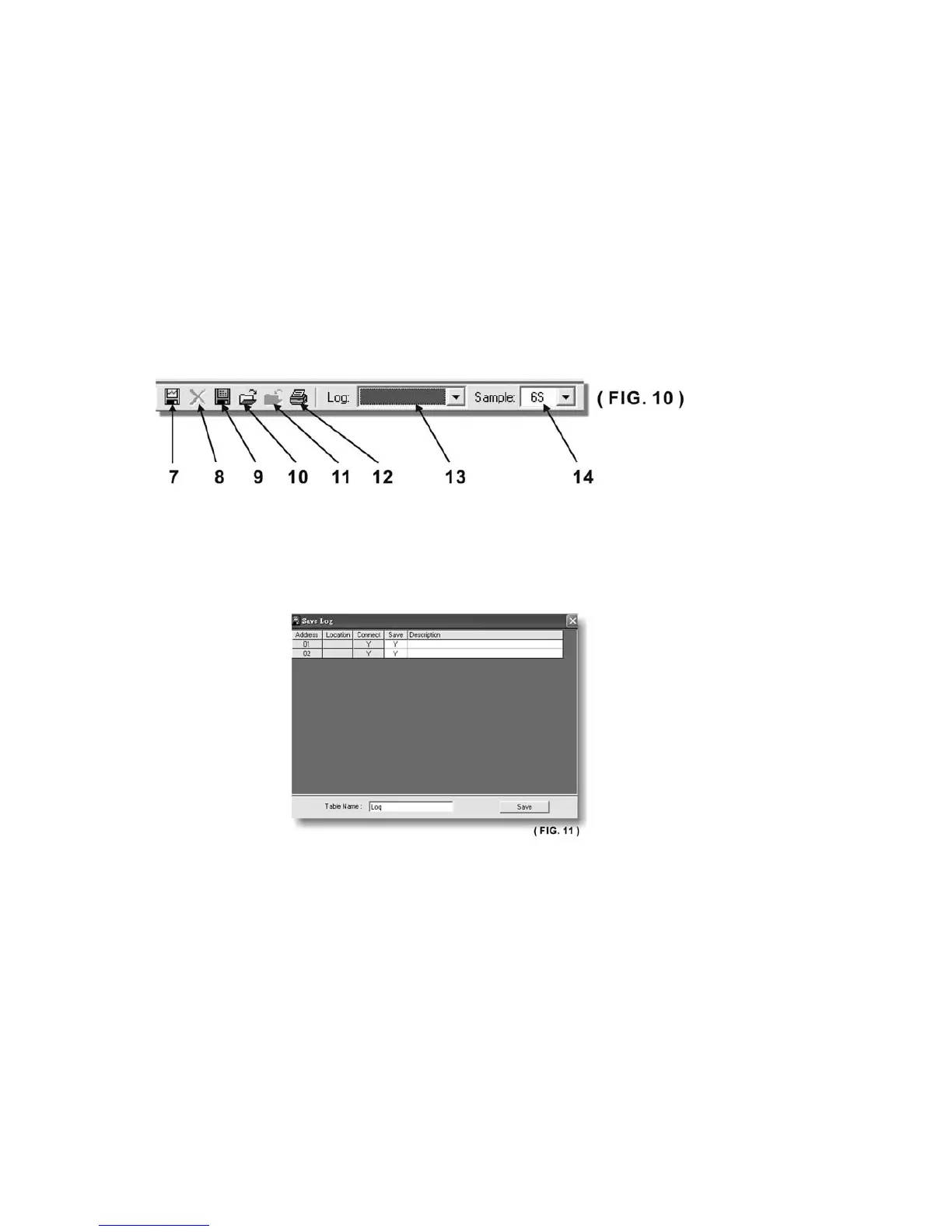
7. Save Log:
a. Click on it and save log window (Fig. 13) will appear.
b. Click on the box along the Save column to choose the desired power supply data log to save.
c. Type in the table name.
d. Click save will save the current data onto the PC.
e. To retrieve data, go to the drop menu at Log (13).
f. To delete the log data, click on Delete Log icon (8).










 To Next Page