7
Item Description
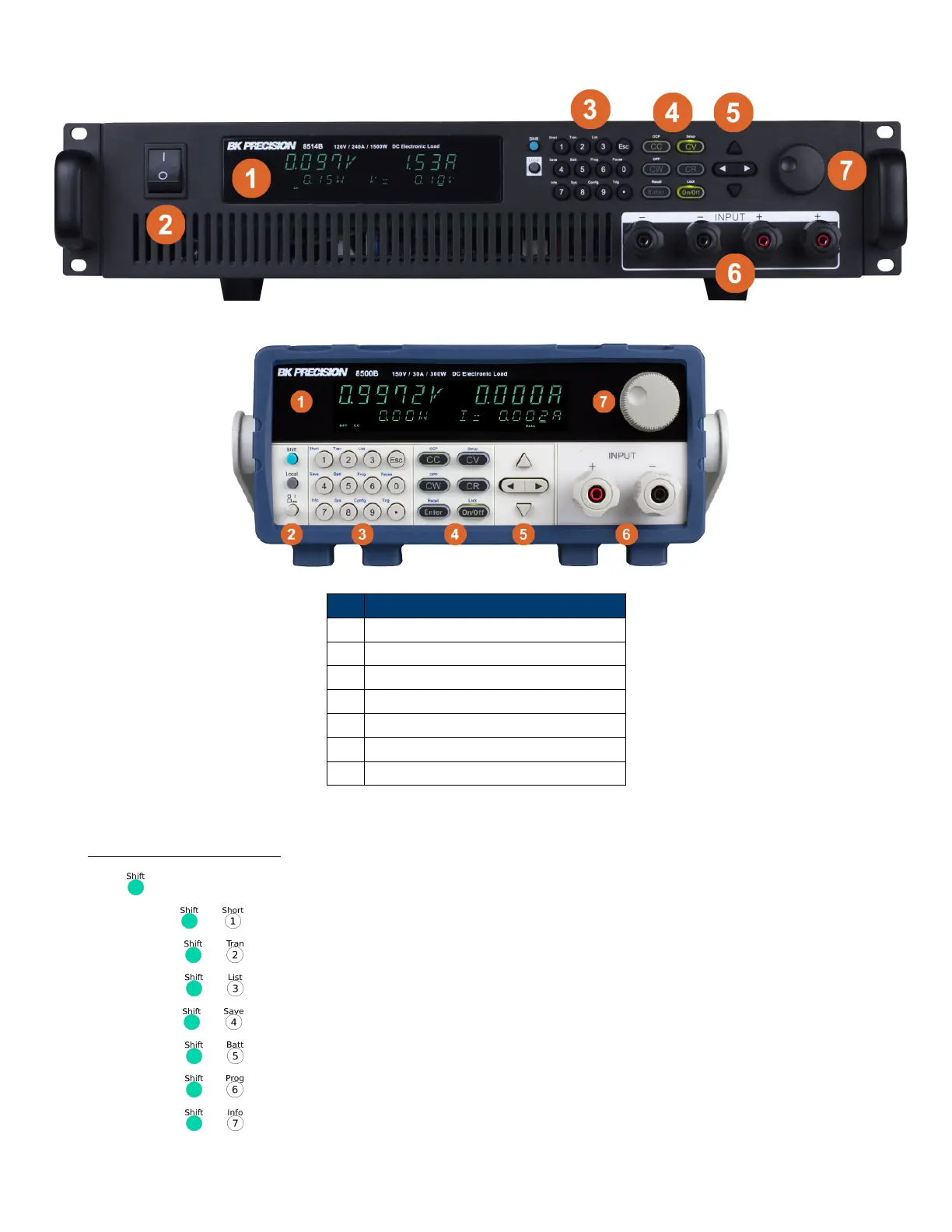
1 VFD Display
2 Power Switch
3 Numeric Input and Advanced Functions
4 Mode keys and Input Control
5 Navigation Keys
6 Input Terminals
7 Rotary Input Knob
Figure 1.3 Front Panel
1.5.1 Combination Keys
Press button rst and then other keys to activate the more advanced functions.
+ Turn short circuit on or o.
+ Start or stop transient condition.
+ Set LIST operation parameters.
+ Store the DC Load state in non-volatile memory.
+ Turn on or o battery testing function.
+ Enter auto test function.
+ Display product’s Model/SN/Version.













 To Next Page