8
+ System menu setting
+ Congure menu setting
+ Press this button if you need a pause when running an auto test le.
+ Cause an immediate trigger.
+ Enter OCP test function.
+ Set detailed parameters in CC/CV/CW/CRmode.
+ Enter OPP test function.
+ Recall the DC Load state from non-volatile memory.
+ Key lock function
1.6 Rear Panel Overview
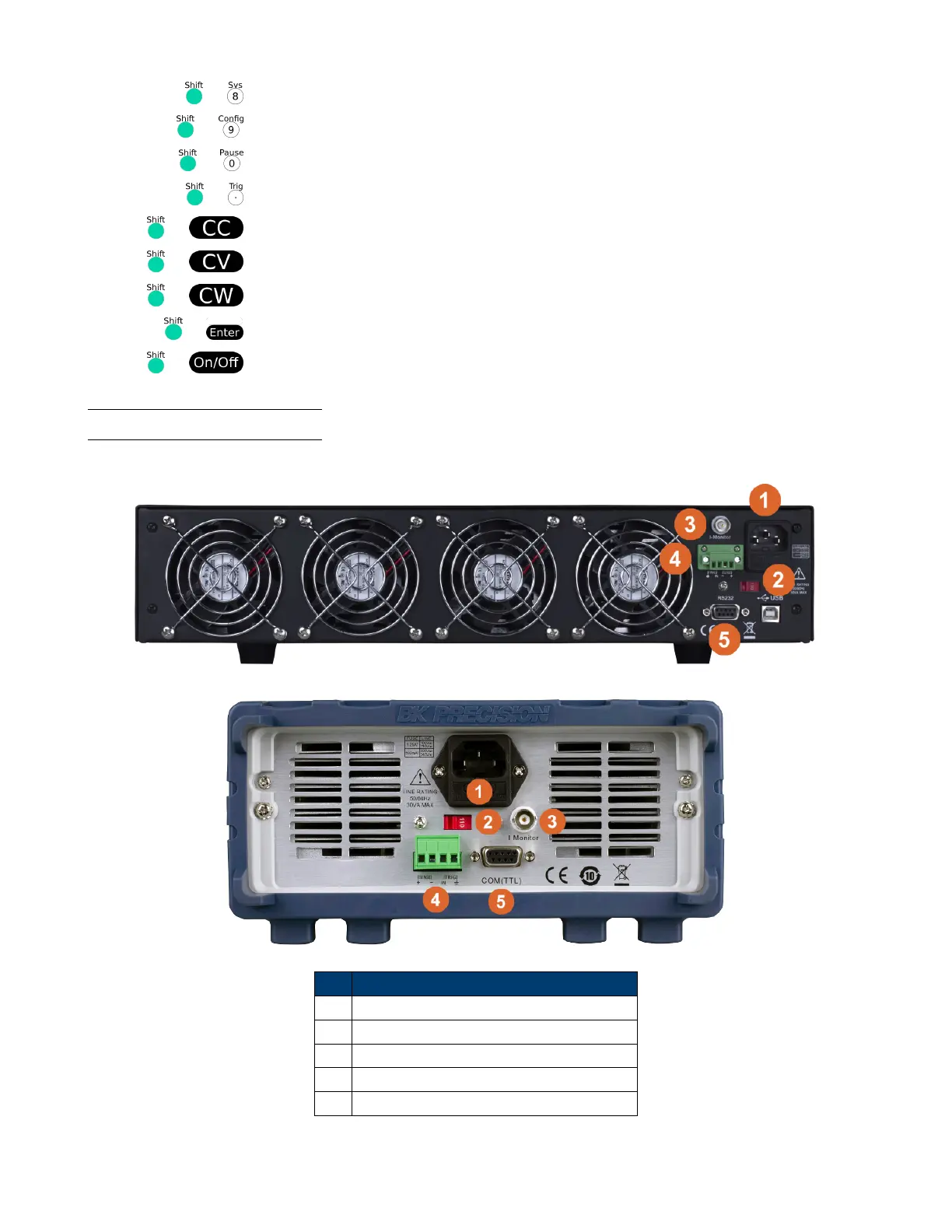
The rear panel connections are shown in Figure 1.4.
Item Description
1 Power Input and Fuse Holder
2 AC Voltage Switch
3 Current Monitor Output
4 Remote Sense and Trigger Input
5 TTL (5V) Communication DE-9 Connector
Figure 1.4 Rear Panel













 To Next Page