EasyManua.ls Logo

Black & Decker 90563738 - User Manual

Black & Decker 90563738
25 pages
Print Icon
To Next Page IconTo Next Page
Loading...
KEY INFORMATION YOU SHOULD KNOW:
Battery ships from the factory without a full charge. For optimal
performance and runtime charge battery for 9 hours before
attempting to use your trimmer/edger.
To operate the trimmer, the lock out button must be pressed in.
This is an automatic feed trimmer – Do not bump head against
ground.
Use only .065 inch (1.65 mm) diameter line. For optimal results,
use Black & Decker factory wound spool, catalog #AF-100.
Install guard and auxiliary handle.
Phillips screwdriver required (not supplied) to install guard.
• For trouble free feeding and best results, only use
Black & Decker replacement spools with single 0.065 inch
line. Black & Decker replacement spool model number
AF-100.
1
VEA EL ESPAÑOL EN LA CONTRAPORTADA.
POUR LE FRANÇAIS, VOIR LA COUVERTURE ARRIÈRE.
SAVE THIS MANUAL FOR FUTURE REFERENCE.
INSTRUCTIVO DE OPERACIÓN, CENTROS DE SERVICIO Y
PÓLIZA DE GARANTÍA. ADVERTENCIA: LÉASE ESTE
INSTRUCTIVO ANTES DE USAR EL PRODUCTO.
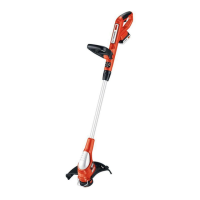
NST1024 TRIMMER/EDGER
INSTRUCTION MANUAL
Thank you for choosing Black & Decker! Go to
www.BlackandDecker.com/NewOwner
to register your new product.
PLEASE READ BEFORE RETURNING
THIS PRODUCT FOR ANY REASON:
If you have a question or experience a problem
with your Black & Decker purchase, go to
HTTP://WWW.BLACKANDDECKER.COM/INSTANTANSWERS
If you can’t find the answer or do not have access to the internet,
call 1-800-544-6986 from 8 a.m. to 5 p.m. EST Mon. -- Fri. to speak
with an agent. Please have the catalog number available when you call.
for instant answers 24 hours a day.

90563738 NST1024.qxd: chainsaw booklet new 5/25/10 1:13 PM Page 1

Questions and Answers

  • K
    Kelly PerryJul 30, 2025
    What to do if the line fails to cut off on my Black & Decker 90563738 Trimmer?
    • J
      Jennifer MillerJul 30, 2025
      If the line on your Black & Decker Trimmer fails to cut off, it could be due to two reasons: * The line cutter in the guard might be damaged or missing. In this case, return the trimmer to a service center for repair. * The line may be extending too far past the guard. Rewind or trim the line back to the line cutter.
  • J
    Justin FordAug 5, 2025
    How to fix a Black & Decker Trimmer when the line won’t feed?
    • T
      tanner30Aug 5, 2025
      If the line on your Black & Decker Trimmer won't feed, it might be tangled in the spool. Unwrap the line and rewind it to resolve this issue.
  • N
    Nathan GonzalezAug 11, 2025
    What to do if my Black & Decker Trimmer will not start?
    • A
      Amanda PerryAug 11, 2025
      If your Black & Decker Trimmer won't start, there are several possible reasons: * The battery might not be installed correctly. Make sure to check the battery installation. * The battery could be uncharged. Ensure you check the battery charging requirements. * The trigger lock might not be pressed. Press the trigger lock in to start the trimmer.
  • J
    jermainewattsAug 16, 2025
    Why won’t my Black & Decker 90563738 Trimmer battery charge?
    • L
      Laura ThomasAug 16, 2025
      If your Black & Decker Trimmer battery isn’t charging, here are a few things to check: 1. Ensure the battery is fully inserted into the charger until the green LED lights up. 2. Verify the charger is properly plugged into a working outlet. 3. The surrounding air temperature may be too hot or too cold. Move the charger and tool to an area where the temperature is between 40°F (4.5°C) and 105°F (40.5°C).
  • I
    igrantAug 23, 2025
    Why does my Black & Decker Trimmer / Battery have low runtime?
    • O
      olittleAug 23, 2025
      If your Black & Decker Trimmer/Battery has low runtime, it could be because the battery wasn't fully charged for 9 hours, or until the green LED charging light goes out. For additional assistance in obtaining accessories, contact your local Black & Decker service center or call 1-800-544-6986.

Summary

Key Information You Should Know

Important Safety Warnings and Instructions

Safety Guidelines Definitions

Explains safety symbols and terms used in the manual for user protection.

General Safety Warnings and Instructions for All Tools

Provides universal safety advice for operating power tools and handling accessories.

Additional Important Safety Instructions

Avoid Dangerous Environmental Conditions

Advises against using or charging batteries in wet or rainy conditions.

Exercise Care in Handling Batteries

Warns about short-circuiting battery terminals and potential burns.

Do Not Open or Mutilate Batteries

Advises against opening batteries due to corrosive and toxic liquid content.

Important Charging Safety Instructions

Charging Procedure

Step-by-step instructions for charging the battery pack.

Extension Cord

Minimum Gauge for Cord Sets

Table specifying correct extension cord gauge based on length and amperage.

Double Insulation

Replacement Parts

Safety Warnings and Instructions

Charging

Instructions and warnings related to charging the battery pack.

Assembly Instructions

Attaching the Guard

Step-by-step guide for securely attaching the safety guard to the trimmer.

Attaching the Auxiliary Handle

Instructions for mounting the auxiliary handle onto the trimmer shaft.

Auxiliary Handle Adjustment

Guidance on adjusting the auxiliary handle for optimal user comfort and control.

Height Adjustment

Instructions on adjusting the overall height of the trimmer for user convenience.

Operating the Trimmer

Power Command Feature

Explanation of the Power Command feature for optimizing tool performance.

Edging Mode

Instructions on how to convert the trimmer for maintenance edging.

Line Feeding

Replacing Spool

Maintenance

Cleaning

Instructions on how to properly clean the gardening appliance.

Accessories

Information on recommended accessories and replacement parts.

Service Information

Full Two-Year Home Use Warranty

Troubleshooting

Problem Causes and Solutions

Lists common problems, their possible causes, and solutions for the trimmer.

Black & Decker 90563738 Specifications

General IconGeneral
BrandBlack & Decker
Model90563738
CategoryTrimmer
LanguageEnglish

Related product manuals