EasyManua.ls Logo

Black & Decker PI400LA - User Manual

Black & Decker PI400LA
17 pages
Go to English
Print Icon
To Next Page IconTo Next Page
Loading...
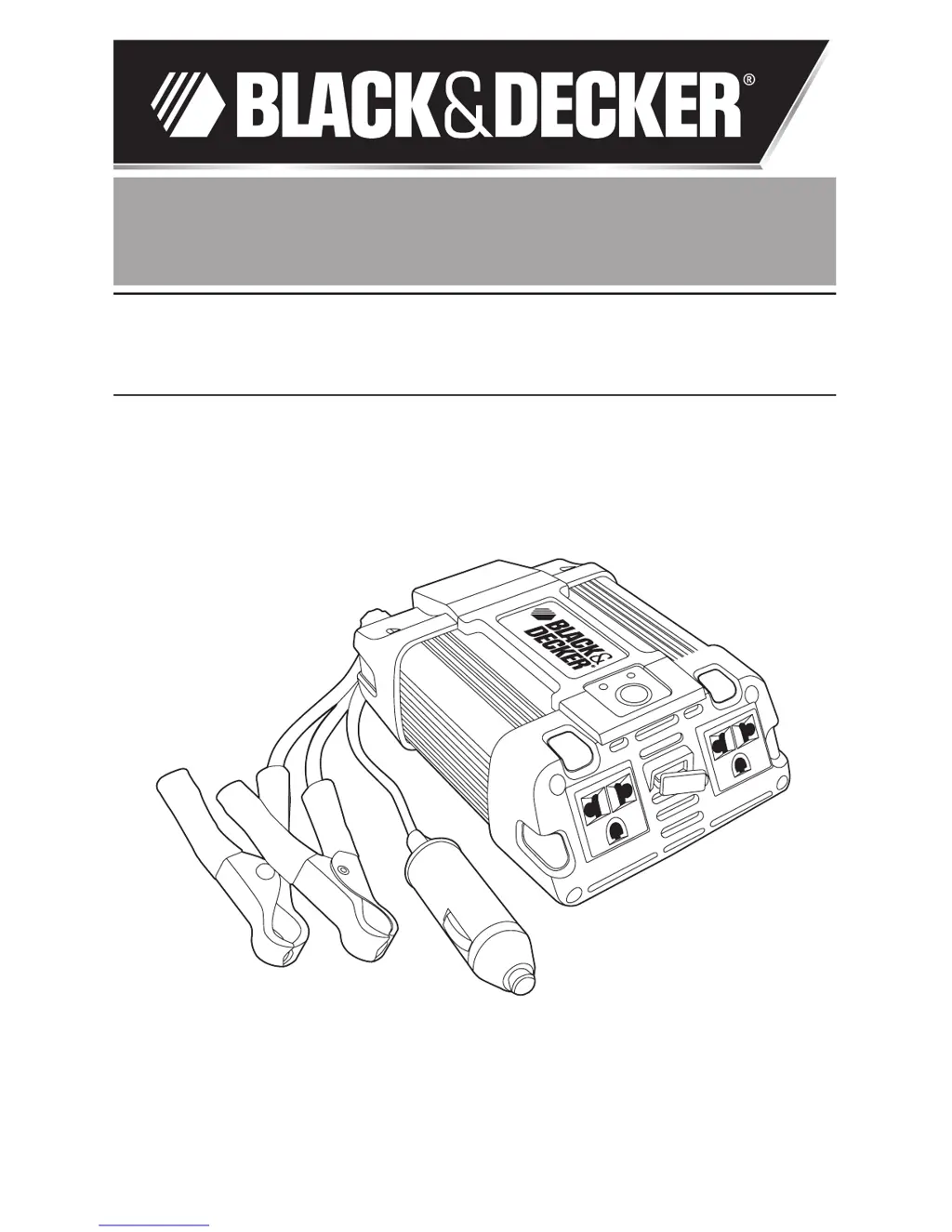
Conversor Eléctrico
Power Inverter
MANUAL DE INSTRUCCIONES
INSTRUCTION MANUAL
Cat. N° PI400LA
ADVERTENCIA: LEASE ESTE INSTRUCTIVO ANTES DE USAR EL PRODUCTO.
WARNING: READ INSTRUCTION MANUAL BEFORE USING PRODUCT.
Español 3
English 11

Questions and Answers

  • T
    terrigutierrezJul 31, 2025
    What to do if my Black & Decker PI400LA Inverter is in thermal shutdown?
    • L
      Leah RodriguezJul 31, 2025
      If your Black & Decker Inverter is in thermal shutdown, let it cool down. Make sure there's enough air circulating around it, and keep the continuous operating load to 400W or less.
  • J
    Jennifer MillerAug 5, 2025
    What to do if equipment draws too much power from Black & Decker Inverter?
    • A
      Arthur FlynnAug 6, 2025
      If the equipment you're using is drawing too much power from your Black & Decker Inverter, reduce the load to a maximum of 400W. When running above 100W, connect directly to the power source using the included battery clips.
  • S
    Sheri BradleyAug 10, 2025
    What to do if AC output of Black & Decker Inverter is shorted?
    • G
      Gregory AyalaAug 11, 2025
      If the AC output of your Black & Decker Inverter is shorted, unplug the AC appliance and disconnect the unit from the 12V DC power source. Check the appliance cord. Refer to the Service Information section that follows to contact a Black & Decker Service Center.
  • D
    Dakota StewartAug 15, 2025
    How to fix television interference from Black & Decker PI400LA Inverter?
    • G
      Gary ValdezAug 15, 2025
      If you're experiencing television interference with your Black & Decker Inverter: 1. Move the Inverter as far as you can from the TV, antenna, and cables. Use a short AC extension cord if needed. 2. Adjust the antenna cables and TV power cord to reduce interference. 3. Ensure the antenna provides a good, clear signal and uses high-quality, shielded cable.
  • J
    Julie AveryAug 20, 2025
    Why does my Black & Decker Inverter cause a buzzing sound in audio systems?
    • K
      Kristen HoAug 20, 2025
      If you hear a buzzing sound in your audio systems when using a Black & Decker Inverter, it might be because the power supply in your electronic device isn't properly filtering the modified sine wave from the inverter. Try using a sound system with a higher quality power supply.
  • R
    ryan10Aug 25, 2025
    What to do if Black & Decker PI400LA Inverter battery voltage is below 10.5V?
    • S
      Stephanie BrownAug 26, 2025
      If the battery voltage is below 10.5V, recharge the battery or check the DC power supply.

Summary

General Safety Rules

Safety Instructions

General power tool safety warnings and instructions for safe operation and future reference.

Safety Guidelines Definitions

Definitions of hazard symbols: Danger, Warning, and Caution.

Important Safety Instructions

Risk of Unsafe Operation

General safety precautions for reducing personal injury risk.

Electric Shock Prevention

Instructions to reduce the risk of electric shock.

Fire Prevention

Instructions to reduce the risk of fire.

Injury and Property Damage Prevention

Cautions to reduce the risk of injury or property damage.

Introduction

Features

Controls and Functions

Overview of the inverter's controls and their functions, including LED indicators.

How This Inverter Works

Power Inverter Output Waveform

Rechargeable Devices Caution

Caution regarding charging rechargeable devices with the inverter.

MAXX SST Soft Start Technology

Explanation of the soft start technology for gradual power ramp-up.

Operating Instructions

Connecting to Power Source

Methods for connecting the inverter to a 12V DC power source.

Direct Hardwiring

Instructions for direct hardwiring to a power source.

Cautions

Important cautions related to operating the inverter.

Connection to Load

AC Outlet Operation

Steps for operating appliances via the AC outlets.

USB Charging Port Operation

Steps for operating devices via the USB charging port.

Protective Features

Operating Tips

Operating Environment

Recommendations for optimal operating locations (cool, ventilated, safe).

Care and Maintenance

Storage

Ideal storage temperature and environmental conditions.

Fuse Replacement

Instructions for replacing internal and user-replaceable fuses.

Protecting the Environment

Accessories

Service Information

Specifications

Troubleshooting

Audio;Visual Problems

Troubleshooting common issues with audio systems and televisions.

Power Output Problems

Troubleshooting common power output issues like low voltage or overload.

Black & Decker PI400LA Specifications

General IconGeneral
Power Output400 W
Peak Power800 W
Input Voltage12 V DC
Frequency60 Hz
USB Ports2
USB Output5 V DC, 2.1 A

Related product manuals