EasyManua.ls Logo

Black & Decker PI500P - User Manual

Black & Decker PI500P
18 pages
Print Icon
To Next Page IconTo Next Page
Loading...
136
solamente (por lo general 30 a 90 días después de la fecha de compra). La prueba de compra puede
ser requerida por el minorista. Por favor consulte la póliza de devoluciones del minorista sobre
devoluciones que están fuera del plazo establecido para intercambios.
Esta garantía no se aplica a los accesorios, bombillos, fusibles y baterías; defectos a consecuencias
de desgaste normal; accidentes; daños y perjuicios sufridos durante el envío y manejo, alteraciones,
reparaciones o uso no autorizado, negligencia, abuso, y si no se siguen instrucciones para el cuidado
y mantenimiento del producto.
Esta garantía le otorga al comprador usuario final, derechos legales específicos y usted puede tener
otros derechos que varían de estado a estado o de provincia a provincia. Este producto no está
diseñado para uso comercial.
Por favor completar la tarjeta de registro del producto dentro de un plazo de 30 días a partir de la
fecha de compra y remitir a: Baccus Global LLC, 595 S. Federal Highway, Suite 210, Boca Raton, FL
33432. Baccus Global LLC, número de teléfono gratuito: 1-877-571 2391.
REEMPLAZO GRATUITO DE LAS ETIQUETAS DE ADVERTENCIA: Si sus etiquetas de advertencia se
vuelven ilegibles o faltan, llame al 1-877-571-2391 para un reemplazo gratis.
ESPECIFICACIONES
Energía continua máxima: 500 vatios
Voltaje de entrada: 12.5 voltios, 48 amperios
Voltaje de salida: RMS de CA de 110-125 voltios, 60 Hz aproximadamente
Forma de onda: Onda senoidal modificada (MSW, por su sigla en inglés)
Conexión de salida: Tomacorrientes estándar de los Estados Unidos
Salida USB: 5 V CC (2A)
CC enchufe fusible : 12A/250V
Importados por Baccus Global, 595 S. Federal Highway, Suite 210, Boca Raton, FL 33432
www.Baccusglobal.com 1-877-571-2391
36
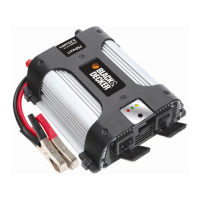
500 WATT POWER INVERTER
WITH USB CHARGING PORT
INSTRUCTION MANUAL
Catalog Number PI500P
SAVE THIS MANUAL FOR FUTURE REFERENCE.
Cat. # PI500P June 2013
Copyright © 2013 Baccus Global LLC Printed in China
Thank you for choosing Black & Decker!
Go to www.Baccusglobal.com
to register your new product.
PLEASE READ BEfoRE REtuRning thiS
PRoDuct foR Any REASon:
If you have a question or experience a problem with your Black & Decker purchase, go to
HTTP://WWW.BACCUSGLOBAL.COM
for instant answers 24 hours a day.
If you can’t find the answer or do not have access to the internet,
call 1-877-571-2391 from 9 a.m. to 5 p.m. EST, Mon. – Fri. to speak with an agent.
Please have the catalog number available when you call.
PI500P_ManualENFRSP_061213.indd 36-1 6/12/2013 6:02:14 PM

Questions and Answers

  • V
    Vernon Maddox Jr.Jul 27, 2025
    How to stop TV interference from Black & Decker Inverter?
    • M
      Mary EnglishJul 27, 2025
      To minimize television interference with your Black & Decker Inverter: 1. Move the Inverter as far away as possible from the TV set, antenna, and antenna cables. Use a short AC extension cord if needed. 2. Adjust the orientation of the antenna cables and the TV power cord. 3. Ensure the antenna provides an adequate, snow-free signal and that high-quality, shielded antenna cable is used.
  • D
    David ArmstrongAug 1, 2025
    What to do if Black & Decker PI500P is drawing too much power?
    • W
      whitecrystalAug 1, 2025
      If the equipment you are operating draws too much power from your Black & Decker Inverter, take the following steps: * Reduce the load to a maximum of 500 watts if connected via battery clips. * Reduce the load to a maximum of 100 watts if connected via the 12V dc accessory plug. * When operating above 100 watts, connect directly to the power source using the included Battery Clips.
  • W
    Walter RogersAug 6, 2025
    What to do if Black & Decker PI500P is in thermal shutdown?
    • T
      Tracy YoungAug 6, 2025
      If your Black & Decker Inverter is in thermal shutdown, allow it to cool down. Also, make sure there is enough ventilation around the unit and that the load does not exceed the maximum wattage.
  • P
    Patrick JohnsonAug 11, 2025
    What to do if AC output of Black & Decker PI500P Inverter is shorted?
    • C
      Cynthia RobertsAug 11, 2025
      If the AC output of your Black & Decker Inverter is shorted: 1. Unplug the AC appliance. 2. Disconnect the unit from any 12 volt DC power source. 3. Check the appliance cord.
  • M
    Mathew HernandezAug 15, 2025
    Why is my audio system buzzing with Black & Decker Inverter?
    • S
      Susan MoralesAug 15, 2025
      If you hear a buzzing sound in your audio systems when using a Black & Decker Inverter, it might be because the power supply in the electronic device isn't properly filtering the modified sine wave produced by the inverter. To fix this, use a sound system that has a higher quality power supply.
  • A
    Andrew KelleyAug 21, 2025
    What to do if Black & Decker PI500P Inverter input voltage is low?
    • E
      Edward WilliamsAug 21, 2025
      If the input voltage of your Black & Decker Inverter is below 10.5 volts, recharge the auto battery or check the DC power supply.

Summary

Safety Guidelines and Definitions

Hazard Level Definitions

Definitions for DANGER, WARNING, and CAUTION levels of potential hazards.

General Safety Precautions

General safety instructions and warnings for operating tools and equipment.

Specific Risk Warnings

Instructions to reduce risks of electric shock, fire, injury, or property damage.

California Proposition 65 Warning

Warning regarding lead content in the product and its cord.

Controls and Functions

Main Indicator and Power Button

Description of the translucent ON/OFF button and power/fault indicator.

AC Outlets

Details on the pivoting three-prong 120-volt AC outlets.

USB Charging Port

Information about the 5-volt USB charging port.

DC Input Terminals

Identification of the positive and negative DC cable posts.

Cooling and Ventilation

Description of ventilation slots and the high-speed cooling fan.

Mounting and Hanging Features

Details on mounting brackets and the retractable hanging hook.

Power Connection Accessories

Description of the 12V DC vehicle adapter plug and battery clips.

How This Inverter Works

Output Waveform Description

Explanation of the modified sine wave output waveform.

Rechargeable Device Compatibility

Warnings regarding charging rechargeable devices with the inverter.

Incompatible Product Warnings

Information on products incompatible with modified sine wave output.

Abnormal Operation Protocol

Instructions on what to do if the product operates abnormally.

Protective Features

Low Battery Voltage Protection

Inverter shuts down when input voltage drops below 10.5V DC.

Input Voltage Too High Protection

Inverter shuts down when DC input voltage exceeds 16V.

Thermal Shutdown Protection

Inverter automatically shuts down if it becomes overheated.

Overload;Short Circuit Protection

Inverter automatically shuts down on short circuit or overload.

Operating Tips

Operating Environment

Guidance on operating the inverter in dry, cool, and well-ventilated locations.

Installation Guidelines

General advice for installing the inverter.

Mounting Precautions

Cautionary advice for mounting the inverter securely on a stable surface.

Hanging Precautions

Safety advice for using the hanging hook to position the inverter.

Operating Instructions

Connection to Power Source

Instructions for connecting the inverter to a 12V DC power source.

Operation of 120 Volt AC Outlets

How to use the AC outlets to power appliances.

Operation of USB Charging Port

Instructions for using the USB port to charge devices.

Troubleshooting

Audio;Visual Problems

Solutions for buzzing sounds and television interference.

Common Power Output Problems

Troubleshooting for low input voltage, overload, thermal shutdown, and short output.

Power;Fault LED Indicators

Interpreting the power/fault LED colors and fault conditions.

Service and Warranty

Service Information

Contact information for technical advice, repair, or parts.

Full One-Year Warranty

Details of the manufacturer's one-year warranty against defects.

Specifications

Technical specifications of the power inverter.

Black & Decker PI500P Specifications

General IconGeneral
BrandBlack & Decker
ModelPI500P
CategoryInverter
LanguageEnglish

Related product manuals