EasyManua.ls Logo

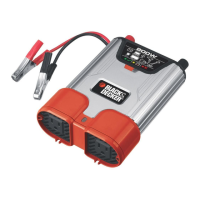
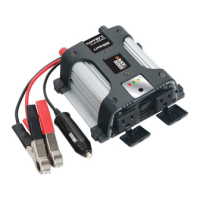
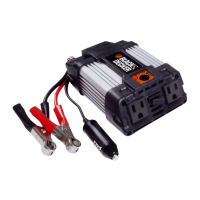
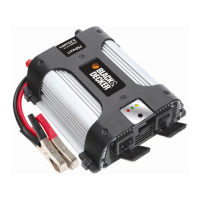
Black & Decker MAXX SST - User Manual

Black & Decker MAXX SST
15 pages
Print Icon
To Next Page IconTo Next Page
Loading...
MAXX SST
TM
COMPA
CT POWER INVERTER
INSTRUCTION MANUAL
Thank you for choosing Black & Decker!
Go to www
.BlackandDecker.com/NewOwner
to register your new product
Catalog Number VEC054D
BEFORE RETURNING THIS PRODUCT
FOR ANY REASON PLEASE CALL
1-800-544-6986
BEFORE YOU CALL, HAVE THE CATALOG No, AND DATE CODE
AVAILABLE. IN MOST CASES, A BLACK & DECKER REPRESENTATIVE
CAN RESOLVE THE PROBLEM OVER THE PHONE. IF YOU HAVE A
SUGGESTION OR COMMENT, GIVE US A CALL. YOUR FEEDBACK IS
VITAL TO BLACK & DECKER.
SAVE THIS MANUAL FOR FUTURE REFERENCE.
Cat. # VEC054D
September 2007 Copyright © 2007 Black & Decker Printed in China
VEC054D_ManualEN_092107.qxp 9/24/2007 3:40 PM Page i

Questions and Answers

  • K
    Kathryn WellsJul 29, 2025
    What to do if my Black & Decker MAXX SST Inverter has no AC output and the red LED is lit?
    • B
      Brandon ChungJul 30, 2025
      If the red LED is lit and there's no AC output from your Black & Decker Inverter, it could be due to the DC input being below 10 volts. Try recharging or replacing the battery. Alternatively, an excessive appliance load might have caused a thermal shutdown. In that case, turn the unit off, reduce the load, wait for the inverter to cool down, and then turn it on again.
  • J
    James OdonnellAug 2, 2025
    Why does the low battery alarm sound continuously on my Black & Decker MAXX SST Inverter?
    • A
      Antonio SmithAug 2, 2025
      If your Black & Decker Inverter's low battery alarm sounds continuously, it could be due to low battery voltage. Try recharging the battery and remove the load from the inverter while it's recharging. Another possible cause is a bad connection or wiring. In this case, tighten all DC connections.
  • D
    Deborah WillisAug 7, 2025
    How to stop television/radio interference from Black & Decker MAXX SST Inverter?
    • A
      adam14Aug 7, 2025
      If you're experiencing television or radio interference with your Black & Decker Inverter, characterized by snow in the picture or a buzzing sound, try keeping the inverter and antenna distant from each other. Also, use a shielded antenna and connect the antenna to an amplifier.
  • K
    kristin39Aug 11, 2025
    How to reduce television interference from Black & Decker MAXX SST Inverter?
    • V
      vanessa88Aug 11, 2025
      If your Black & Decker Inverter is causing television interference, position the inverter as far as possible from the television, the antenna, and the antenna cables. Use an extension cable if needed. Also, adjust the orientation of the inverter, the antenna cables, and the TV power cord to minimize interference. Ensure the antenna provides an adequate signal and use high-quality, shielded antenna cable. Avoid operating high-power appliances or tools simultaneously with the TV. Finally, make sure the inverter’s case is properly grounded.
  • R
    Randall KimAug 15, 2025
    What to do if my Black & Decker MAXX SST has no AC output and the green LED is not lit?
    • X
      xfletcherAug 15, 2025
      If the green LED is not lit and there's no AC output from your Black & Decker Inverter, the fuse(s) might be open. Check the DC input fuse(s) in the vehicle and replace the fuse with one of the same type and rating if necessary.
  • M
    Melvin Lewis MDAug 20, 2025
    Why is my motorized power tool not operating at correct speed with Black & Decker MAXX SST?
    • R
      reesedanielleAug 20, 2025
      If your motorized power tool does not operate at the correct speed when using the Black & Decker Inverter, it may be due to a purely inductive load. To resolve this, make the load not purely inductive by operating an incandescent lamp at the same time as the motor.
  • K
    Kimberly HillAug 25, 2025
    Why is my Black & Decker MAXX SST Inverter causing a buzzing sound in my audio system?
    • D
      Denise OwensAug 25, 2025
      If you hear a buzzing sound in your audio systems when using the Black & Decker Inverter, it's because the power supply in the electronic device does not adequately filter the modified sine wave produced by the inverter. To fix this, use a higher quality sound system that incorporates a higher quality power amplified supply.

Summary

Product Information and Support

Customer Support and Returns

Contact details for product support, troubleshooting, and return authorization.

Welcome and Registration

Customer welcome message and encouragement to register the new product online.

General Safety Instructions

Appliance Usage and Environmental Safety

Guidelines on safe operating environments, proper attire, and appliance handling to prevent injury.

Electrical Safety and Equipment Protection

Instructions for electrical safety, grounding, and protecting equipment from damage.

Safety Guidelines and Warnings

Hazard Definitions and Usage Warnings

Definitions of hazard levels (DANGER, WARNING, CAUTION) and key product usage warnings.

Specific Safety Precautions

Detailed safety instructions covering electric shock, fire, injury, property damage, and specific usage scenarios.

Introduction, Features, and Controls

Product Overview and Soft Start Technology

Introduction to the inverter, its SST features, and benefits for performance.

Inverter Controls and Indicators

Description of front and back panel controls, LED indicators, and output ports.

Built-in Safety Features

Overview of the inverter's automatic safety features for protection against various faults.

Inverter Operation Principles

Principle of DC to AC Conversion

Explanation of the two-stage process converting 12V DC to 110/120V AC.

Modified Sine Wave Output Explained

Details on the modified sine wave output and its characteristics, including measurement notes.

Appliance Compatibility and Power

Suitable Appliances and Power Calculation

List of ideal appliances and how to calculate power needs from wattage.

Overload Protection and Load Management

Information on the inverter's overload protection and managing continuous load capacity.

Operating Instructions and Power Sources

Appliance Consumption Data

Chart providing approximate amperage and wattage for various common appliances.

Power Source Requirements and Limitations

Details on input voltage, low/high voltage shutdowns, and handling inductive load startup.

Battery Configuration and Runtime

Battery Wiring and Fuse Requirements

Diagram and guidelines for battery configuration, wiring, and appropriate fuse selection.

Determining Battery Size and Runtime

Steps for calculating battery size and understanding estimated operating times based on load.

Protective Features and Installation Environment

Low Battery Alarm and Circuit Protection

Explanation of low battery alarms, circuit protection, and unit reset procedures.

Recommended Operating Environment

Guidelines for selecting an optimal and safe location for inverter installation.

Installation Procedures and Testing

Marine Application Installation Notes

Specific considerations for installing the inverter in marine environments and watercraft.

Quick Operational Test Guide

Step-by-step procedure for performing a quick operational test before permanent installation.

Permanent Installation Guide

Preliminary Installation Steps

Initial preparation steps for permanent installation, including mounting and cable routing.

Permanent Installation Wiring Procedure

Detailed instructions for the permanent wiring and connection of the inverter and related components.

Connecting Loads and Operating Tips

Connecting Equipment and Load Warnings

Instructions for connecting appliances and important warnings regarding AC distribution wiring.

Optimal Operating Conditions and Remote Control

Guidelines for optimal operating conditions and notes on using the optional remote control.

Troubleshooting Common Problems

Audio;Visual Interference Solutions

Troubleshooting tips for common audio buzzing and television interference issues.

Fault Diagnosis and Unit Reset

Guide to diagnosing faults, understanding indicator lights, and resetting the inverter unit.

Care, Maintenance, and Service

Storage, Maintenance, and Fuse Replacement

Instructions for product storage, preventive maintenance, and internal fuse replacement.

Service, Accessories, and Warranty Information

Details on authorized service, recommended accessories, and the full two-year warranty.

Specifications and Import Information

Technical Specifications Summary

Comprehensive list of technical specifications for the Maxx SST™ inverter.

Black & Decker MAXX SST Specifications

Power IconPower
maximum continuous power2000 watts
surge capacity (peak power)4000 watts
output voltage range105-125 volts
output voltage110/120 VAC
over voltage shutdown15.5 ± 0.5 volts DC
low voltage shutdown10.0 ± 0.3 volts DC
Efficiency IconEfficiency
maximum efficiency> 87%
full load efficiency> 82%
Electrical Characteristics IconElectrical Characteristics
output frequency58-62 Hz
no load current draw> 1.0 amp
thermal shutdown auto resetYes
Connections IconConnections
north american standard outlets3
ANL fuse rating for direct hardwire500
proper cable gauge (AWG) @ 6 ft.1/0
proper cable gauge (AWG) @ 10 ft.3/0

Related product manuals