Page 14
724-746-5500 | blackbox.com
Chapter 5: Operation
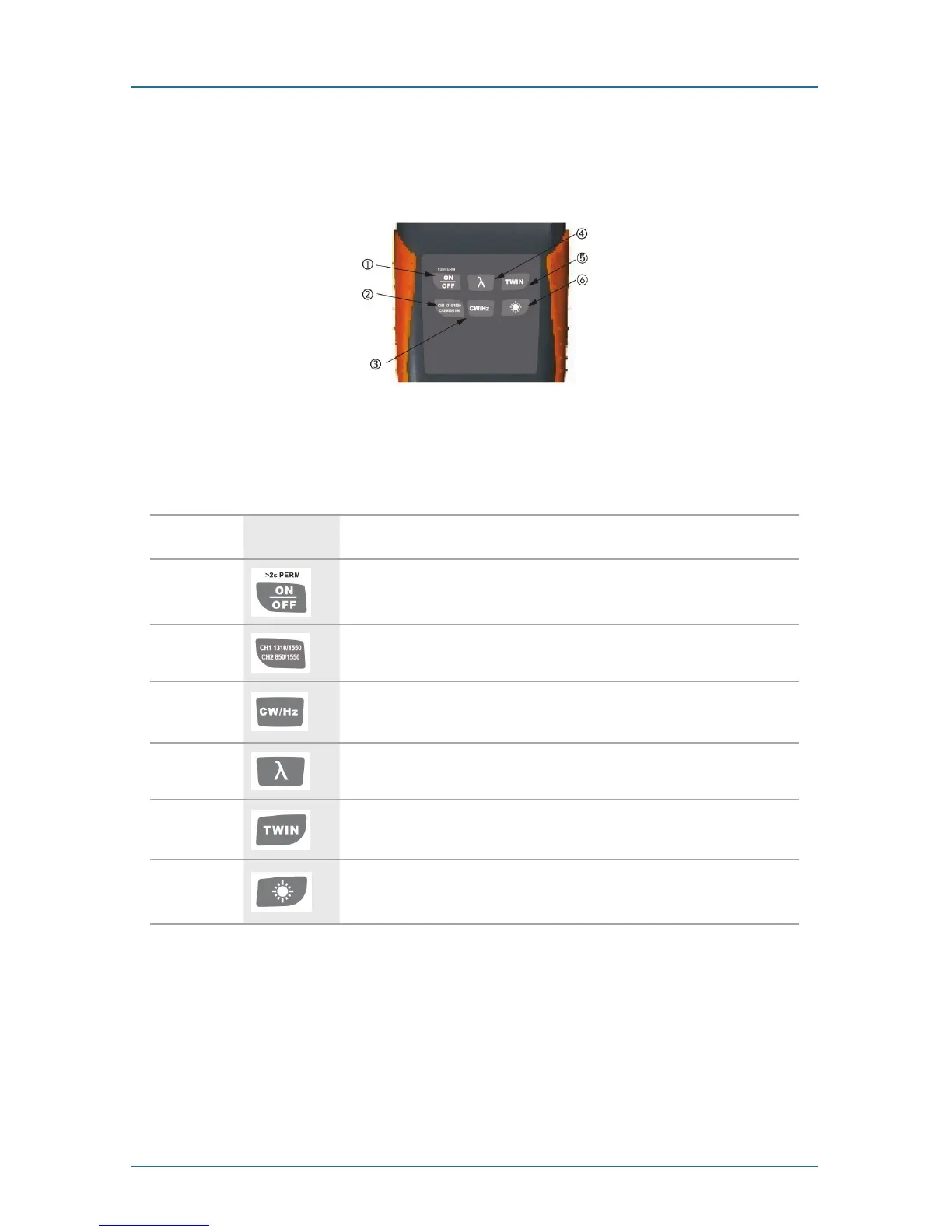
5.1.3 Front (Panel Board)
Figure 5-3 shows the display and controls on the instrument. Table 5-3 describes
these components.
Figure 5-3. Buttons on the instrument.
Table 5-3. Buttons functions.
Number Key Function
1
Switches the instrument on/off. Press and hold the key while powering on
to activate the instrument without Auto-Off function.
2
Switch between CH1 (1310/1550) and CH2 (850/1300).
3
Modulated Wavelength Shifting key: Switches between modulated
wavelength and continuous wavelength.
4
Wavelength Shifting key: Switches the working wavelength between
850 nm, 1300 nm, 1310 nm, and 1550 nm.
5
SINGLE: Auto-wavelength recognition is off.
TWIN: Auto-wavelength recognition is on.
6
Switches backlighting on/off.



 To Next Page