724-746-5500 | blackbox.com
Page 12
Chapter 2: Overview
LEDs
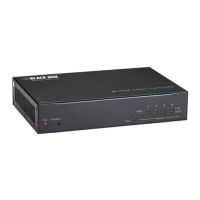
The LB323A front-panel LEDs show power and link/activity status. Table 2-3 summarizes the LEDs on the Industrial Ethernet
Extender.
Table 1. LEDs on the extender.
LED Color Status
Power 1, 2 Green ON = Receiving power
OFF = Power off
Ethernet Extender Port
Link Activity Green ON = Connection is established
OFF = No connection is established
Flashing = Port is sending
or receiving data
Line Speed Green ON = Displays the link speed in Mbps
10/100TX port
Link/Activity Green ON = Valid network
connection
OFF = No data transmission on port
Flashing = Port is sending
or receiving data
Speed Yellow ON = Link speed
at 100 Mbps
OFF = Link speed
at 10 Mbps
Top Panel
The LB323A top panel has a terminal block for connecting up to two external power supplies (not included).
Right-Side Panel
The LB323A right-side panel has a product label that shows regulatory compliance, product serial number, and other information.
Left-Side Panel
The LB323A left-side panel shows the power input assignment.













 To Next Page