724-746-5500 | blackbox.com
Page 14
Chapter 3: Installation
3.4 Connecting to the Ethernet Extender Port
The front panel of the Industrial Ethernet Extender provides one RJ-11 connector or Terminal Block (see “Ethernet Extender Port”
on page X). To prevent ESD damage, follow normal board and component handling procedures.
To connect the Extender’s Ethernet port:
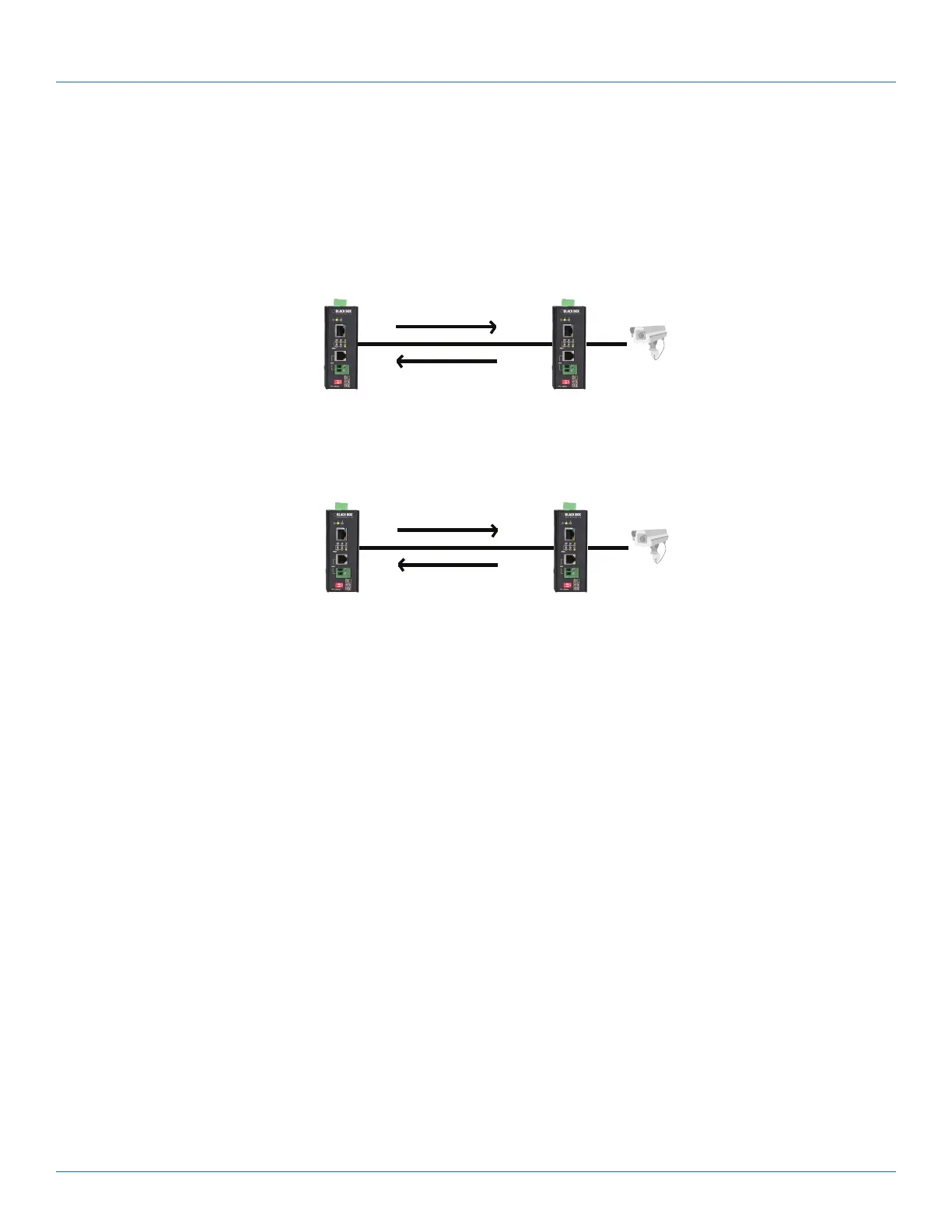
Insert the voice grade copper wire between one pair of Ethernet Extenders via Ethernet Extender port (RJ-11 connector or
Terminal Block). Set one device to LOC mode and the other to Auto mode when two devices are connected.
Diagram Format
Rule Size: 1 pt
DVI
Audio
USB
CATx
Fiber
HDMI
Local setting: Per
Setting: AUTO
Remote setting: Per
Setting: AUTO
Upstream
Downstream
Line quality is good
Figure 2-5. Performance mode: Use for high-speed data transmission.
Diagram Format
Rule Size: 1 pt
DVI
Audio
USB
CATx
Fiber
HDMI
Local setting: Std
Setting: AUTO
Remote setting: Std
Setting: AUTO
Upstream
Downstream
Line quality is poor
Figure 2-6. Standard mode: Use for better noise immunity.
3.5 Checking the Installation
Before you apply power:
• Inspect the equipment thoroughly.
• Verify that all cables are installed correctly.
• Check cable routing to make sure the cables are not damaged or do not create a safety hazard.
• Be sure all equipment is mounted properly and securely.
3.6 Applying DC Power
1. Connect the DC power cord to the pluggable terminal block on the Ethernet extender, and then plug it into a standard DC
outlet.
2. Connect the ground connection from the terminal block to the grounding surface.
When you apply power:
• All green Link/Activity LEDs blink momentarily.
• The green Power LED goes ON.
• The Link/Activity LEDs for every port connected to a device flash, as the Industrial Ethernet Extender conducts a brief Power On
Self-Test (POST).













 To Next Page