20
RISC ROUTER EXPANDABLE
3.4.5 W
IDE
-A
REA
N
ETWORK
C
ONNECTION
The Wide-Area Network (WAN) interfaces are located in the left-hand
center of the back panel of the RISC Router Expandable. Each interface
is configurable for RS-449, RS-232, EIA-530, or V.35. Each interace has
jumper settings for the interface type. Follow these steps:
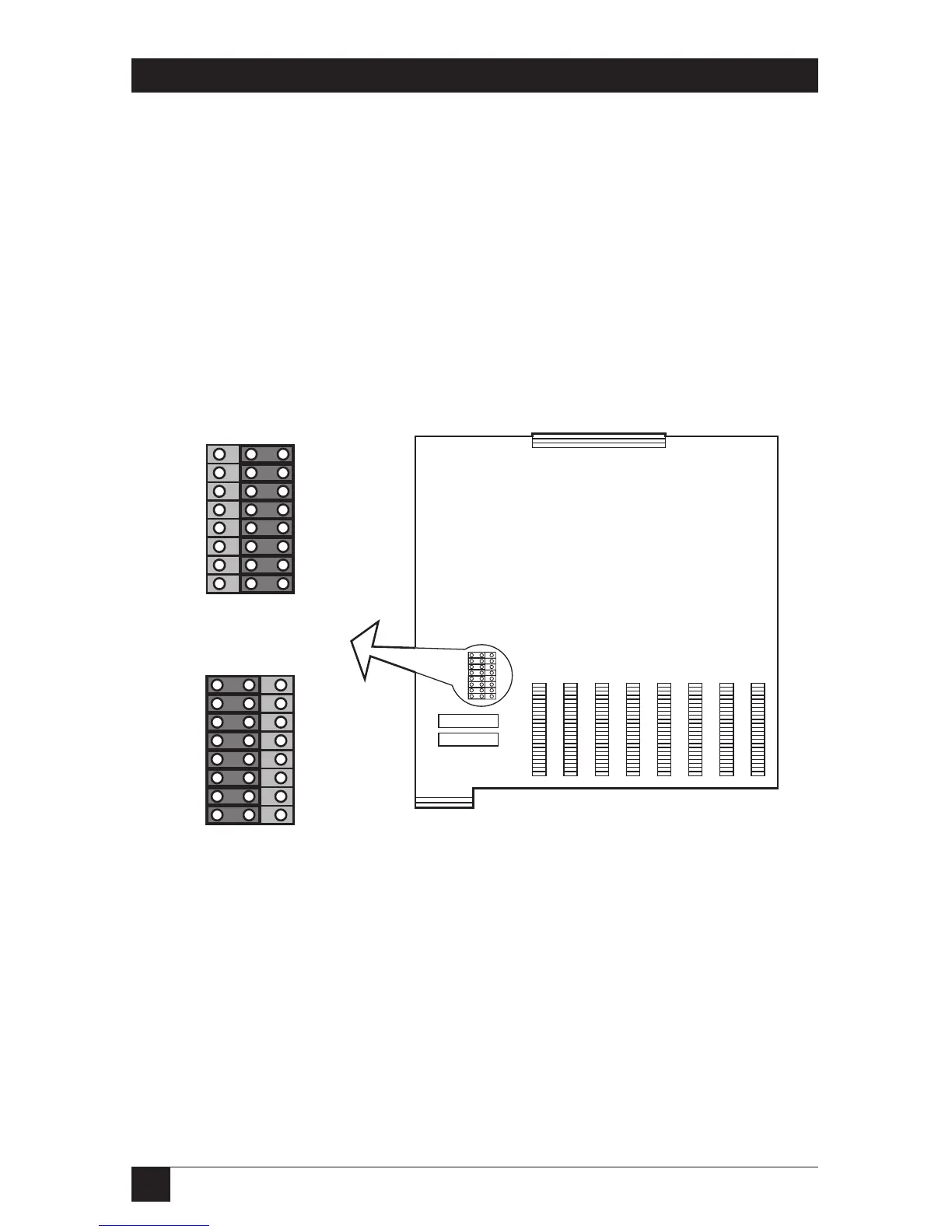
1. Remove the cover of the RISC Router Expandable. Refer to Chapter 4.
2. Locate the jumpers on the motherboard. See Figure 3-9.
Figure 3-9. Jumper Settings on the Motherboard.



 To Next Page