therefore reduce the distance you can travel (range) before running out of battery power. To increase the range select a lower gear and lower assist level, to reduce the
amount of battery power being used.
You can use your bike in any combination of assistance and gear selection. It is recommended you start with a low level of assist to get used to the effect of the motor until
you become confident in its use.
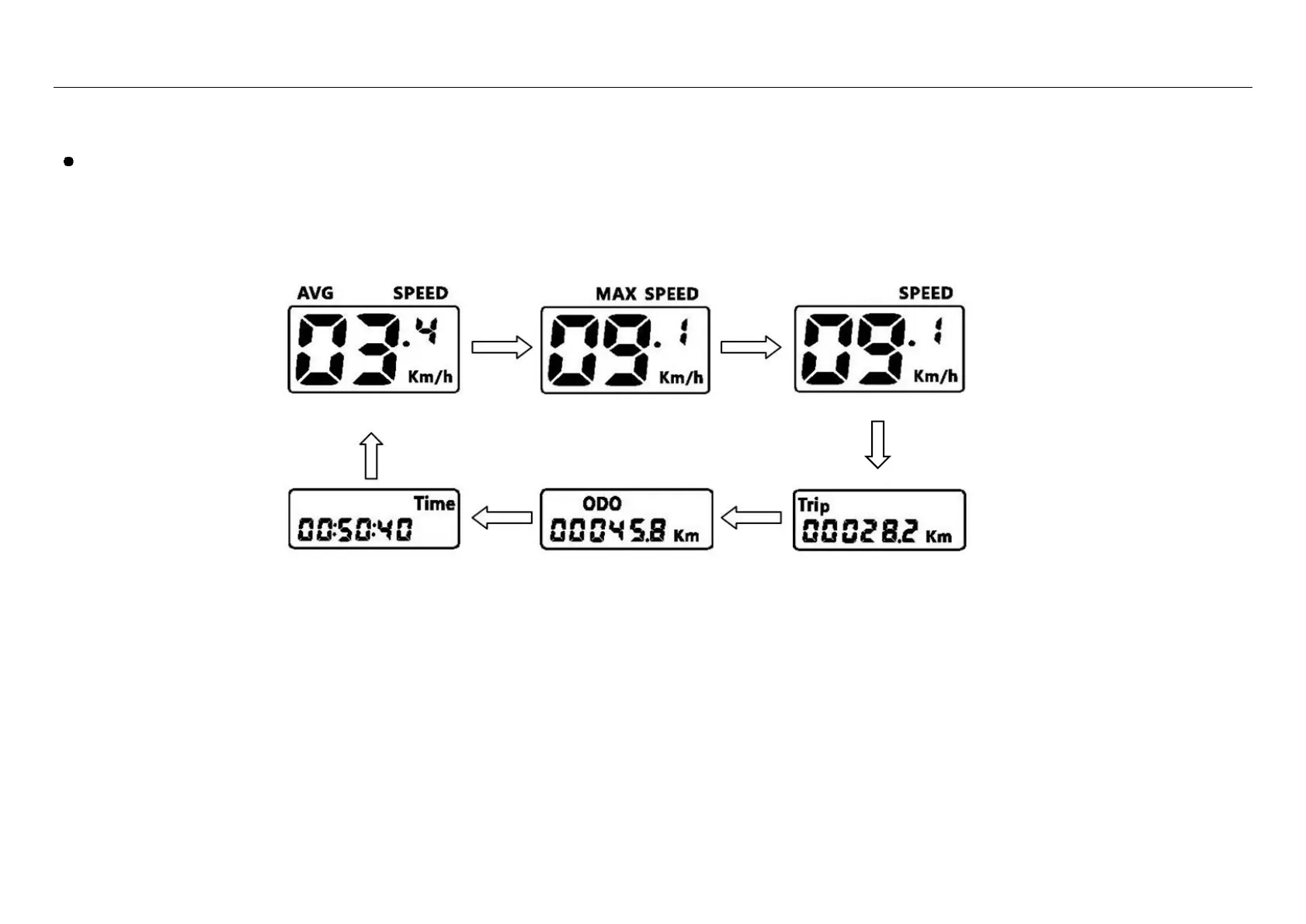
5.4 Odometer & trip information
While riding, to change the indicated information on the display press and release the Power On/Off button repeatedly to display information in-turn as below:
Note: Each information state will display for 5 seconds and then the display will automatically return to the current speed reading.


 To Next Page